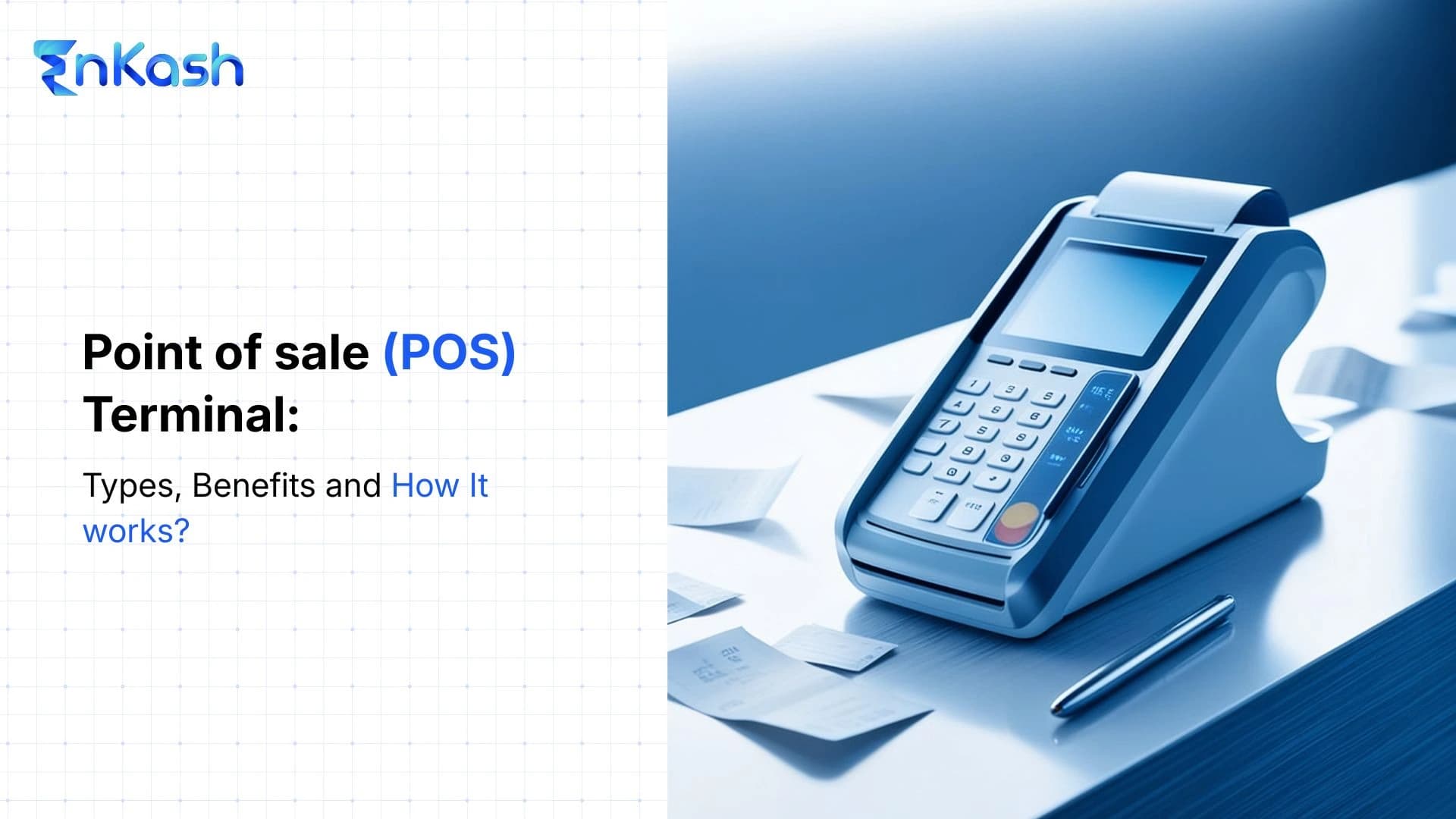
A POS terminal can affect checkout speed, payment acceptance, transaction records, and the merchant’s final processing cost. However, the right device depends on the business model, customer payment habits, connectivity, and billing setup.
For example, an electronics store may need an Android POS terminal that supports cards, contactless payments, EMI, dynamic QR, and printed receipts. A delivery business may prefer a portable device, while a small shop with mostly UPI payments may not need an advanced terminal at all.
This blog explains:
- The main functions performed during a payment
- Differences between Android, mobile, self-service, and EPOS setups
- How card and UPI transactions move from checkout to confirmation
- Which businesses gain practical value from each terminal type
- How merchants should compare security, connectivity, settlement, integration, and total cost
The final choice should follow actual transaction needs rather than device appearance or advertised rental alone.
What is a POS Terminal
A POS (Point of Sale) terminal is a physical payment device that allows businesses to accept in-store payments through credit cards, debit cards, contactless cards, mobile wallets, and other payment methods. It securely captures payment information, verifies the transaction with the bank, and processes the payment in real time.
Its core role includes:
- Capturing payment data from the customer’s card or device
- Sending the payment request for authorization
- Showing whether the transaction was approved or declined
- Recording the terminal ID and transaction reference
- Supporting later tracing of refunds, reversals, and disputes
The terminal does not decide whether a payment succeeds. The issuer checks available funds or credit, card status, transaction limits, and required authentication before returning the result.
A payment terminal should also remain separate from a complete point-of-sale system. The terminal handles payment communication, while the wider system may manage billing, inventory, discounts, staff access, and customer records.
Functions of a POS Terminal
A POS terminal also performs several technical and control functions during daily merchant use.
Protects Sensitive Payment Data
The device encrypts card information before transmission and protects PIN entry through secure hardware. Approved terminals also include controls designed to detect physical tampering.
Maintains Transaction Batches
The terminal groups completed transactions into batches for operational review. Merchants can compare batch totals with cashier collections and provider reports before closing the business day.
Manages Pre-Authorization
Some terminals can place a temporary hold on an available card amount before the final charge. Hotels and vehicle rental businesses often use this function when the final payable amount remains uncertain.
Checks Device Readiness
The terminal monitors its card reader, payment application, connectivity, and security status. It may stop a transaction when the software, network, or hardware cannot safely complete the required checks.
Applies Merchant Configuration
The acquiring provider can configure functions according to the merchant agreement, including:
- Permitted card networks and transaction categories
- Cashier or supervisor access controls
- Tip entry and pre-authorization settings
- Daily transaction and value limits
- Software updates and security controls
These features do not appear on every device. Merchants must verify the exact terminal model, enabled software, and provider terms before relying on them.
Types of POS Terminals
POS terminal labels describe different features. Android refers to the operating platform, mobile refers to portability, self-service refers to customer-operated service, and EPOS refers to a broader electronic checkout setup.
Android POS Terminals
An Android POS terminal uses a touchscreen Android device that can run provider-approved payment and merchant applications on the same unit. This type suits merchants that need a configurable interface for counter service, tableside ordering, or branch-level applications.
Mobile POS Terminals
A mobile POS terminal allows merchants to collect payments away from a fixed checkout counter. It may use a compact card reader, a smartphone, a tablet, or an NFC-enabled handset. A wireless POS terminal connects through Wi-Fi or mobile data. Older GPRS POS terminals use slower packet-data networks, while newer devices generally rely on 4G or Wi-Fi. Common uses include doorstep collection, field service, pop-up stores, and in-aisle checkout.
Self-Service POS Terminals
A self-service terminal allows customers to complete the transaction without a cashier handling every stage.
Businesses commonly use these terminals for:
- Food ordering
- Ticket purchases
- Parking payments
- Check-in services
- Automated retail counters
The hardware must support unattended use and protect the payment area from tampering.
EPOS Terminals
An EPOS terminal operates within a wider electronic sales setup rather than as a standalone card machine. It connects the payment device with the merchant’s checkout software and shared sales records. An NFC POS Terminal can operate within Android, mobile, self-service, or EPOS setups. NFC adds contactless acceptance to compatible devices across these categories.
How Does a Point of Sale Terminal Work
A terminal transaction follows two timelines. The customer receives a payment result at checkout, while the merchant receives the funds later through settlement.
Card Payment Flow
The Merchant Enters the Amount
The cashier enters the payable amount, or the connected checkout software sends it to the device.
The Customer Presents the Card
The customer inserts the chip, taps a contactless card or device, or swipes the magnetic stripe where supported.
The Device Creates a Transaction Message
The terminal combines the amount, merchant details, device data, and payment credentials into a protected request.
The Acquirer Receives the Request
The merchant’s acquiring bank or payment provider sends the message through the relevant card network.
The Issuer Returns a Decision
The card issuer applies its internal payment, authentication, and risk controls before sending the result back.
The Sale Reaches Completion
The merchant receives the response and completes the checkout when the transaction succeeds.
Settlement Takes Place Later
The provider transfers the net amount under the agreed settlement cycle after accounting for applicable charges, refunds, holds, or adjustments.
UPI Payment Flow
Some POS terminals can also generate a dynamic QR linked to the exact bill amoun.
- The customer scans the QR code through a UPI application.
- The application displays the merchant and payable value.
- The customer authorizes the payment with a UPI PIN.
- The payer and payee banks, the UPI app, and the NPCI rails exchange payment status information.
- The merchant device receives the final transaction message.
For example, a retailer completing a ₹2,450 card transaction through Mswipe on Monday may receive an immediate success message at the counter. Under the provider’s T+1 business-day terms, the net settlement would generally reach the merchant account on Tuesday after applicable deductions. Refunds, chargebacks, risk reviews, or bank holidays can delay the final credit.
Which Types of Businesses Benefit From a Point of Sale Terminal
Businesses that collect in-person payments, handle large bills, or need transaction-level records can benefit from a POS terminal. The requirement extends across the following sectors.
Retail, Grocery, and Consumer Stores
Supermarkets, apparel stores, electronics outlets, pharmacies, furniture shops, and department stores can accept card payments for transactions of varying values. Larger purchases may also require commercial-card or EMI support.
Restaurants, Hotels, and Food Businesses
Restaurants, cafés, quick-service outlets, hotels, bakeries, and catering counters can collect payments for tables, rooms, takeaways, and events. Hospitality businesses may also require tips, deposits, split payments, or pre-authorization.
Hospitals, Clinics, and Diagnostic Centers
Healthcare providers can collect consultation fees, deposits, test charges, medicine payments, and final bills. Linking the payment reference with the patient record reduces incorrect allocation.
Schools, Colleges, and Training Institutes
Educational institutions can accept admission fees, course charges, examination fees, and other permitted payments at administrative counters. Transaction references help accounts teams assign payments to the correct student or branch.
Fuel, Transport, and Travel Businesses
Fuel stations, travel agencies, vehicle rental companies, ticket counters, and transport operators can collect frequent payments across multiple counters or locations. Some businesses may also need acceptance of fleet cards or commercial cards.
Wholesalers, Distributors, and B2B Sellers
Wholesale businesses can collect card payments against invoices from retailers, dealers, and corporate buyers. The merchant must review commercial card charges and permitted transaction limits before onboarding.
Professional and Personal Service Providers
Doctors, lawyers, accountants, architects, consultants, repair centers, salons, gyms, and coaching centers can collect consultation, membership, service, or booking fees in person.
Entertainment and Event Businesses
Cinemas, amusement centers, stadiums, exhibition venues, museums, and ticketed attractions can use POS devices across booking desks, food counters, and merchandise stalls.
Field and Doorstep Service Businesses
Courier teams, insurance agents, home-service providers, collection staff, and on-site technicians can use portable terminals when customers need to pay away from a fixed office.
Government and Utility Collection Centers
Municipal offices, toll locations, utility counters, and authorized service centers may use POS devices for permitted public payments, subject to the acquiring arrangement and applicable government procedures.
How to Choose the Right POS Terminal For Your Business
The right terminal should match the merchant’s transaction volume, checkout conditions, software setup, and commercial agreement. Comparing device appearance alone can lead to higher costs or operational gaps.
Measure Actual Payment Activity
Review recent payment data before requesting provider quotes.
- Average number of card payments each day
- Typical and highest transaction values
- Peak transactions completed within one hour
- Share of contactless and international cards
- Number of counters and business locations
- Need for payment collection away from the counter
This data helps the provider recommend suitable hardware without oversizing the setup.
Verify the Exact Device Model
Ask for the manufacturer, model number, software version, and approval status. Merchants should check whether the device appears on the PCI Security Standards Council’s approved PTS device list. A general claim that the provider follows PCI standards does not confirm that the offered model holds a current approval.
Calculate the Complete POS Terminal Price
The POS terminal price includes much more than the monthly rental.
- Installation and activation charges
- Monthly or annual device rental
- MDR for each payment instrument
- GST on applicable fees
- SIM, maintenance, and paper costs
- Replacement and damage charges
- Early closure or deactivation fees
For example, a ₹500 monthly rent amounts to ₹6,000 annually. If the merchant also processes ₹5 lakh each month at a 1% MDR, the transaction charges amount to another ₹60,000 before GST.
Examine the Merchant Agreement
- The written agreement should clearly state:
- Fund-credit schedule
- Refund and chargeback deductions
- Minimum transaction commitments
- Reserve or holdback conditions
- Contract duration and exit process
- Device return requirements
Verbal assurances should not replace written commercial terms.
Test the Device Before Rollout
Run a pilot at the actual business location. Check signal strength, battery life, software compatibility, staff access, report accuracy, and provider response during a failure. A wireless POS terminal should maintain reliable connectivity at every intended payment point, including outdoor counters, basements, and delivery locations.
Bottom Line
A POS terminal earns its place when it removes friction at checkout without creating extra work after the sale. The device should support the merchant’s operating model instead of forcing staff to rely on manual fixes. A mindful choice also reduces the risk of unused hardware, avoidable disputes, and unsuitable contracts. The most robust setup gives customers a dependable payment experience while keeping daily merchant operations clear and manageable.
FAQs
1. What documents are required to apply for a POS terminal?
Merchants generally submit identity proof, address proof, PAN, bank account details, business establishment proof, and authorized signatory documents. Providers may also request GST registration, canceled cheques, shop photographs, or additional records based on the business structure.
2. What happens when a POS payment fails after account debit?
When the customer’s account is debited, but the merchant receives no confirmation, the amount should be auto-reversed within T+5 days. RBI requires compensation of ₹100 per day if the delay goes beyond T+5 days.
3. Can customers withdraw cash from a POS terminal?
Cash withdrawal is available only at merchant locations and at terminals enabled for the facility. RBI permits cash withdrawal at enabled PoS terminals using debit cards and full-KYC prepaid cards, up to ₹2,000 per transaction and ₹10,000 per month. with customer charges capped at 1% of the amount withdrawn.
4. What is the contactless payment limit at a POS terminal?
RBI allows eligible contactless card payments up to ₹5,000 without additional authentication. The card issuer may set a lower limit or request a PIN based on risk controls, card settings, transaction history, or merchant conditions.
5. Can a POS terminal work without internet access?
Most terminals require live connectivity, but selected offline-enabled devices can store transaction data securely and send it once the network is available again. Merchants should confirm offline limits, decline risk, settlement timing, and provider liability before using this feature.
6. Can a POS terminal accept international cards?
International card acceptance depends on the merchant’s acquiring agreement, enabled card networks, business category, and provider approval. The merchant should confirm foreign-card pricing, currency conversion options, fraud controls, chargeback exposure, and settlement terms before accepting such payments.
7. What is the difference between a Merchant ID and a Terminal ID?
A Merchant ID identifies the business within the acquiring system, while a Terminal ID identifies a specific device or acceptance point. One merchant may hold several Terminal IDs across counters, branches, or devices under the same arrangement.
8. What should a merchant do if a POS terminal is stolen?
Merchants should report a lost or stolen terminal to the acquiring provider immediately and request deactivation. They should also review recent transactions, protect login credentials, preserve incident records, and follow the provider’s replacement and investigation process.
9. Is GST registration required for a POS terminal?
GST registration is not a universal condition for every POS application. Providers usually require KYC, bank details, and proof of business, while GST documents may depend on turnover, business category, legal structure, and the selected merchant program.
10. How long does POS terminal installation take?
Installation time begins after the provider completes KYC, risk checks, and commercial approval. Some digital onboarding programs can activate terminals on the same day, while complex businesses, integrations, or additional verification may delay activation.