Key Takeaways
- Bulk transfers allow businesses to submit multiple payment instructions together while tracking each beneficiary's payment separately.
- Accurate beneficiary details are essential. An incorrect account number or bank identifier can lead to a failed transfer or, in some cases, funds reaching an unintended account.
- Businesses should separate payment preparation and approval to reduce errors and unauthorised transfers.
- NEFT, RTGS, IMPS, and internal bank transfers can serve different payment needs inside the same operating environment.
- Failed or pending payments need record-level review before any correction or resubmission begins.
- Reconciliation should match the payment file, transaction report, bank debit, and original payable before the run is closed.
- File size, batch limits, charges, reporting depth, and support arrangements should be checked before a facility is selected.
A business paying hundreds of vendors must manage each payment separately, even when the instructions are submitted together. Each beneficiary has a separate account, amount, reference, approval trail, and final payment status. Finance cannot afford to lose that detail simply because the transfers are prepared in one batch. A bulk transfer gives the team a way to organize those payments collectively while preserving each instruction as a separate record.
What is a Bulk Bank Transfer
A bulk bank transfer allows a business to initiate payments to multiple beneficiaries through a single batch or coordinated payment workflow. Each transfer retains its own beneficiary details, amount, transaction reference, and payment status, even when the instructions are submitted together. Each record carries its own recipient details, amount, bank destination, payment reference, and transaction result.
For finance teams, a batch provides a way to organise multiple payments while maintaining individual transaction records. It allows finance teams to organise and submit payments together, while the underlying transfers continue to move and settle as separate instructions. Once a batch is accepted for processing, individual transfers can have different outcomes. However, some banking systems may reject an entire file if it fails mandatory format, validation, or authorisation checks.
A bulk run does not have to succeed or fail as one block. In a batch of 300 transfers, some payments may succeed while others remain pending, fail, or require correction. Finance can isolate the pending, failed, or incorrect records and deal with them on their own.
Bulk Transfer vs Bulk Payment vs Bulk Posting
These terms are related, but their meaning can vary depending on the banking or accounting system.
| Term | Meaning | Example |
|---|
| Bulk transfer | Submission of multiple fund transfer instructions through a batch or coordinated workflow | Paying 300 vendors using one payment file |
| Bulk payment | Broad term for making payments to multiple beneficiaries in one payment cycle | Disbursing monthly salaries to 500 employees |
| Bulk posting | Recording or processing multiple entries together within a banking or accounting system | Posting multiple salary credits or accounting entries |
| Bulk payout | Distributing funds to multiple recipients, often through a banking or payout platform | Paying commissions to 200 sales partners |
A bulk transfer is therefore one way to execute bulk payments. However, a bulk payment workflow may also use APIs or integrated banking systems rather than file uploads.
How Do Businesses Make a Bulk Transfer
The process starts with obligations that have cleared the company's normal payment checks. Finance teams organise the approved payables into a payment batch that the bank or payout platform can process.
A bulk payment run can move through seven stages.
- Identify approved payables: Finance collects invoices, reimbursements, settlements, or other obligations that have been cleared for payment.
- Prepare the beneficiary list: Each obligation is matched with the correct recipient, amount, account details, and business reference.
- Create the payment batch: Approved records are placed into the required template or system format.
- Submit the instructions: The completed batch is uploaded or transmitted through the authorized business payment channel.
- Complete authorization: The designated approver reviews the batch or eligible records before release.
- Start bank processing: Approved instructions move into the applicable payment infrastructure.
- Review the result: Finance retrieves the transaction report and separates successful, pending, rejected, returned, or failed records.
The payment run should remain traceable back to the original payable at every stage.
Example: Paying 300 Vendors Through a Bulk Transfer
Consider a retail company that needs to pay 300 suppliers at the end of the month. Instead of initiating 300 separate transfers, its finance team prepares a bulk payment batch worth ₹45 lakh.
After approval, the batch is submitted for processing. Assume the results are:
- Successful: 294
- Failed: 4
- Pending: 2
Finance can reconcile the 294 successful payments, investigate the four failures, and check the final status of the two pending transfers before attempting any resubmission.
A bulk transfer file must contain the mandatory beneficiary, payment, and reference details required by the bank or payout platform. File templates differ across facilities, but the core data usually follows the same logic.
The main fields can include the following details:
- Beneficiary name and account number: These identify the intended recipient and destination account.
- Bank identification: Indian bank transfers may require an IFSC or another supported routing identifier.
- Transfer amount: Each record needs the exact amount cleared for payment.
- Payment method: The file may identify the applicable transfer channel where several methods are supported.
- Business reference: A unique reference connects the payment with the invoice, claim, settlement, or internal payable.
- Narration or purpose: Additional information can be carried where the accepted format provides such a field.
A bulk posting payment workflow may show the batch as one posting task while retaining separate beneficiary records underneath. Before submission, finance teams should check for missing fields, invalid details, duplicate entries, and differences between the batch total and approved payable amount.
Accepted file formats, record limits, and mandatory fields depend on the selected facility.
What Are the Different Ways to Send Batch Payments
Businesses can send large payment runs through different operating setups. The right approach depends on payment frequency, beneficiary reuse, existing finance systems, and the level of manual processing the finance team can manage.
Three methods are commonly used:
Corporate Banking Portals
Finance prepares a payment file in the required format and uploads it through an authorized corporate banking interface. This approach can work well for scheduled payment runs managed directly by the finance team.
Saved Beneficiary Groups
Some banks and payout platforms allow businesses to save and reuse approved beneficiary records. Repeated supplier or employee payments can then be prepared without rebuilding beneficiary details every time.
Integrated Payment Systems
Accounting, ERP, and treasury management systems can transmit approved payment instructions through supported integrations. This approach can reduce file handling when the payment data exists inside the business system.
The submission method changes how the batch reaches the payment facility. Beneficiary accuracy, approval, and transaction tracking remain necessary in every setup.
How Are Batch Payments Approved and Released
Preparing a payment file and authorizing money movement are different responsibilities. Separating these responsibilities adds a control before funds are released.
A bulk transfer approval setup can include different controls:
- Maker and checker roles: One employee prepares the file while another authorized person reviews it.
- Single-level approval: A designated approver can release eligible batches within assigned authority.
- Multiple-level approval: Higher-value payment batches may require multiple approvals before release.
- Transaction and batch limits: Authorization rights can be restricted by individual payment value, total batch value, or both.
- Record-level decisions: Some facilities can allow selected entries to be approved or rejected separately.
- Approval history: The system should retain who prepared, reviewed, approved, rejected, or released the run.
The approval model should reflect payment risk, transaction value, and the size of the finance operation. Maker-checker controls are an important internal safeguard for bulk payments. Separating payment preparation from approval helps businesses detect errors, unauthorised changes, and unusual transaction amounts before funds are released.
Which Bank Transfer Methods Can Be Used in India
The payment file controls how instructions are grouped for submission. The actual transfer can move through different banking methods after release. A bulk fund transfer setup can use several methods where the chosen facility supports them.
| Payment Method | Processing Model | Transaction Limit | Availability | Typical Business Use |
|---|
| NEFT | Half-hourly settlement batches | No RBI-prescribed minimum or maximum | 24×7×365 | Vendor payments, reimbursements, scheduled business transfers |
| RTGS | Individual, real-time gross settlement | Minimum ₹2 lakh; no RBI-prescribed maximum | 24×7×365 | High-value supplier payments, treasury transfers |
| IMPS | Immediate payment service | Generally up to ₹5 lakh per transaction, excluding certain channels | 24×7×365 | Time-sensitive vendor and employee payouts |
| Internal Bank Transfer | Transfers between accounts within the same bank | Depends on the bank | Bank-specific | Payments between accounts held with the same bank |
These are payment-system characteristics, not guaranteed limits or processing times for every business account. Banks and payout platforms may apply their own transaction limits, batch sizes, cut-offs, approval requirements, and service conditions.
NEFT operates around the clock and has no system-wide minimum or maximum transaction amount. RTGS also operates continuously, with a ₹2 lakh minimum and no upper ceiling set at the system level. IMPS is available around the clock, with a ₹5 lakh per-transaction ceiling for most channels.
The business should confirm which methods and limits are available through its selected facility.
What Happens When Some Bulk Transfer Records Fail
A payment file can be accepted while individual records finish with different outcomes. Finance should work from the status of each payment before correcting information or sending another instruction. A bulk payment batch may contain transactions with different outcomes that require separate review.
Rejected Payment Instructions
A record can be rejected when required information is missing, invalid, or outside the conditions accepted by the payment facility. The data should be corrected before another instruction is prepared.
Pending Bank Transfers
A pending record has not reached a final outcome. Resubmitting it immediately can create a duplicate if the original payment later succeeds.
Failed or Returned Transfers
A payment may fail during processing or be returned when the beneficiary bank cannot complete the credit. Finance should identify the recorded reason and create another transfer only after the earlier outcome is clear.
Unique payment references help finance teams track corrected or resubmitted payments against the original payable.
How Do Businesses Reconcile Hundreds of Bank Transfers
The payment run is not complete when the file leaves the banking interface. Finance still needs to connect the submitted instructions with transaction results, bank activity, and the accounts payable record.
For a business paying hundreds of beneficiaries through a bulk transfer, reconciliation can follow these five checks:
- Match the batch with the transaction report: Every submitted record should appear in the resulting payment report.
- Connect successful payments with payables: Each completed transfer should update the invoice, reimbursement, settlement, or other originating obligation.
- Compare payment records with bank debits: The bank movement should agree with the processed records and the facility's debit arrangement.
- Separate unresolved items: Pending payments, returned funds, failed records, and unmatched differences should remain open.
- Close the run after review: Remaining exceptions should be resolved or carried forward under the finance process.
Some setups can produce one consolidated account debit, while others can create several debits. Reconciliation should follow the actual debit pattern used by the facility.
What Should Businesses Check Before Choosing a Batch Payment Facility
A facility may accept bulk files yet remain unsuitable for the company's normal payment run. Finance should evaluate the operating limits and records it will need after submission.
The review should include these areas:
- Batch capacity: The beneficiary limit should support both normal and peak payment runs.
- File requirements: Accepted templates, file size, formats, and validation rules should match the business process.
- Payment limits: Individual and batch limits should cover expected transaction values.
- Funding arrangement: Finance should understand which source accounts or funding models can be used.
- Reporting: Transaction reports should contain the references, statuses, amounts, and failure reasons required for reconciliation and exception handling.
- Support arrangements: Operating availability and escalation channels matter when a large payment run develops problems.
- Commercial terms: Bulk transfer charges can vary by facility, payment method, account arrangement, transaction volume, and service package.
The right facility should handle the expected payment load without weakening approval control or accounting visibility.
How EnKash Supports Bulk Business Payments
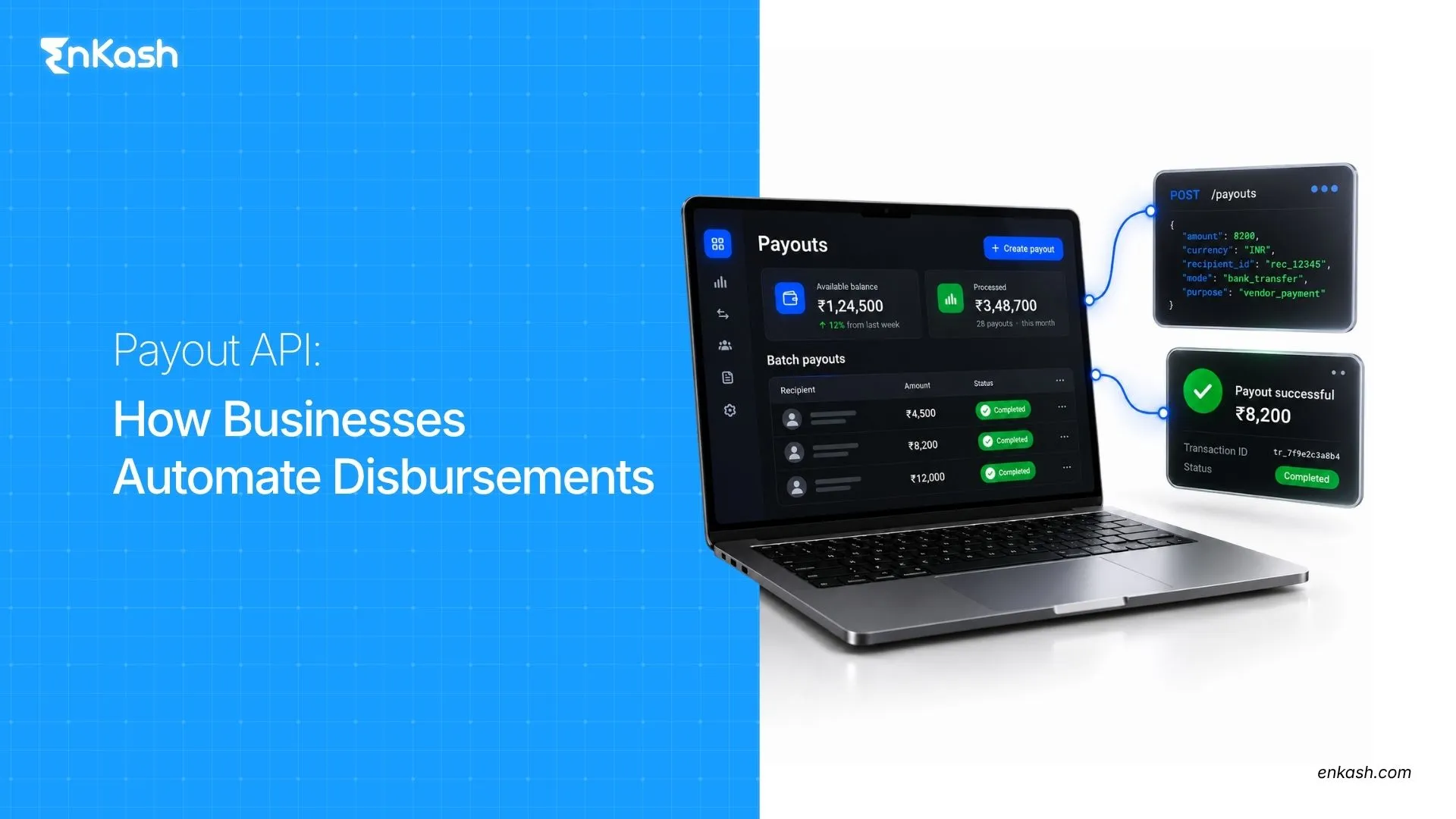
EnKash supports bulk business payments through file-based workflows and payout APIs. Businesses can prepare payment data using predefined templates, create beneficiary records with bank details or UPI identifiers, and initiate batch transfers for multiple recipients.
Manage Beneficiaries and Prepare Payment Batches
Businesses can maintain beneficiary records with supported bank account details or UPI identifiers. For bulk payments, finance teams can use predefined upload templates or initiate batch transfers through the EnKash Payout API.
Maintain Approval Controls
File-based payment workflows support configurable approvals so businesses can review payment instructions before release. This helps finance teams maintain oversight of high-value or high-volume payment runs.
Initiate Payments Through Connected Banking
EnKash Connected Banking allows businesses to link supported existing bank accounts and initiate payouts without first transferring money to a separate wallet. Supported payment rails can include UPI, IMPS, NEFT, and RTGS, depending on the bank and account configuration.
Track Individual and Batch Payment Status
EnKash's payout APIs allow businesses to search transactions using individual transaction IDs, batch transaction IDs, and date ranges. This helps finance teams identify completed, pending, and failed payments without losing track of the original batch.
Simplify Reconciliation
Transaction-level visibility and supported reconciliation reports help businesses match completed transfers against their original payment instructions and accounting records.
Businesses can explore EnKash Bulk Pay for batch disbursements or EnKash Connected Banking for payouts initiated from linked business bank accounts.
Bringing High-Volume Payments Under Control
Bulk transfers help businesses process large payment volumes while retaining visibility into each beneficiary transaction. The batch simplifies preparation and release, but each instruction still needs accurate data, proper approval, status review, and reconciliation. Once those responsibilities are clear, high-volume payment runs become easier to operate and easier to reconcile, audit, and report.
FAQs
Is There a Minimum Number of Beneficiaries Required for a Bulk Transfer?
There is no universal minimum beneficiary count. Eligibility depends on the banking or payment facility, its batch rules, and the business arrangement being used.
Can Bulk Transfers Be Used for Employee Salary Payments?
A salary batch can be processed in bulk once payroll has approved the amounts. The payment setup must also accept salary disbursements and the employee banking details required for processing.
Can TDS Be Deducted Before a Bulk Transfer Is Created?
Yes. Where TDS applies, the business can calculate and deduct the applicable tax before preparing the bulk transfer. The beneficiary receives the net payable amount, while the deducted TDS must be deposited and reported according to the applicable income-tax requirements. The bulk transfer itself does not replace these compliance obligations.
Can One Bulk Transfer Include Payments From Different Business Units?
Yes, where the system can manage the accounting differences between those units. The batch may need separate source accounts, references, approval controls, and reporting identifiers.
Can Beneficiaries Receive Payment Advice After a Bulk Transfer?
Beneficiaries can receive payment advice after processing. Automatic advice is available only when the chosen bank or payment system provides that communication feature.
Can Bulk Transfers Be Used for International Payments?
Yes, bulk transfers can be used for international payments when the bank or payment provider supports cross-border batch processing. Such payments may require additional beneficiary information, purpose codes, foreign exchange conversion, and documentation under applicable FEMA and RBI requirements. Domestic NEFT, RTGS, and IMPS bulk transfer facilities should not be assumed to support international payouts.
Can Different Cost Centers Be Tracked Within the Same Payment Batch?
Yes, internal references can associate individual payments with different cost centers where the finance system and accepted payment records preserve those identifiers.
What is the difference between bulk transfer and bulk payment?
Bulk transfer generally refers to submitting multiple fund transfer instructions together, while bulk payment is the broader process of paying multiple beneficiaries within one payment cycle. Bulk transfers can be processed through file uploads, corporate banking portals, or API-based payment systems.
What happens if one payment in a bulk transfer fails?
A failed payment does not necessarily affect other transactions in an accepted batch. Finance teams should identify the failure reason, confirm the final transaction status, correct any applicable issue, and initiate a new payment only when the original instruction is confirmed unsuccessful.
Can businesses transfer money to hundreds of bank accounts at once?
Yes. Businesses can submit payment instructions for hundreds of beneficiaries through supported corporate banking or payout platforms. Each beneficiary payment is processed and tracked individually. The maximum number of payments per batch depends on the provider's file limits, transaction limits, and account configuration.