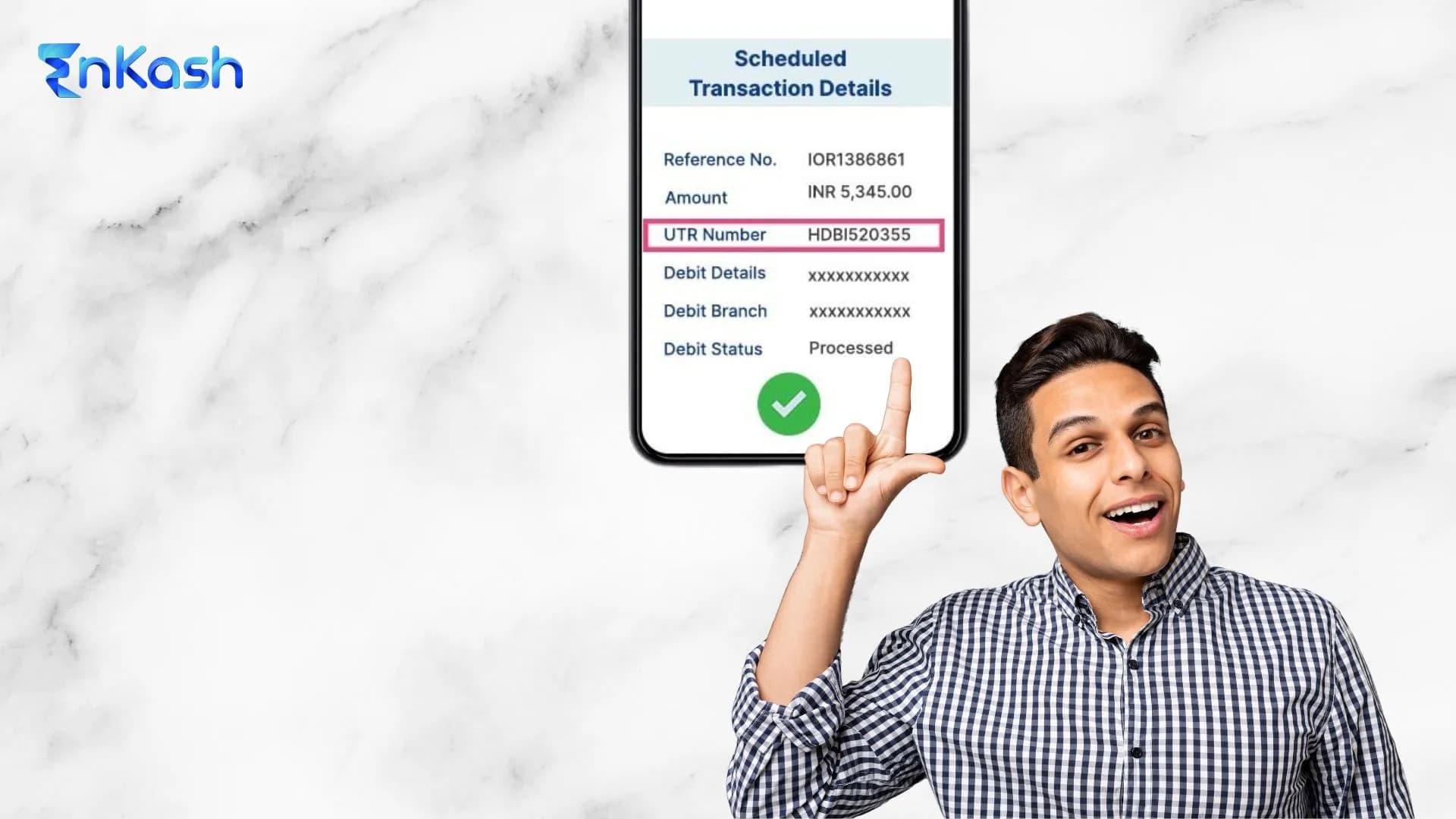
When a payment is debited, but the other side cannot confirm receipt, the first item support teams look for is the payment reference number. It is the traceable identifier attached to the transaction record.. In Indian banking and digital payments, this number helps link the transfer to its date, amount, route, and beneficiary details. RBI’s NEFT FAQ treats the UTR or transaction reference number as one of the key details used to trace a payment..
Many users search what is the reference number after a transfer delay, a failed checkout, or a missing refund update. The confusion usually starts because different systems label the same tracking field differently. A bank may display a transaction reference, a UPI app may show a payment ID, and a merchant may rely on its own order record. The user still needs the same outcome: identify the exact payment and verify its status.
A bank reference number is important when you need to raise a complaint, follow up on a reversal, or help a merchant trace a credit that hasn't been visible yet. This blog explains the term clearly, separates it from similar payment labels, and shows how to track it correctly in India.
This blog is based on RBI guidance for NEFT and RTGS transaction tracking and on NPCI and BHIM support flows for checking UPI transactions through transaction history and complaint handling.
What is a Payment Reference Number
A payment reference number is the payment system’s unique identifier for a single recorded transaction. Its function is to uniquely identify one transaction within the payment records. When banks, apps, gateways, and merchants process large volumes of payments, they need a reliable way to separate one entry from another without depending on the payer’s name or account details.
This identifier belongs to the transaction record itself. It does not identify the customer, the bank account, or the purchase alone. It identifies the payment event created when the system accepts, processes, or attempts the transfer. In formal banking use, transaction tracing relies on this recorded identifier, along with core details such as amount, date, and beneficiary information.
Example of Payment Reference Number
Suppose you clear your monthly internet bill of ₹1,899 through your bank app. After the payment is processed, the system creates a transaction identifier for that payment. Depending on the platform, this may appear as a transaction reference number, UTR, payment ID, or a similar tracking field..
You do not need to remember the full payment trail after that. If the biller says the payment is still pending, you can share the recorded reference from the transaction details page. This helps the bank or the biller check the exact payment entry instead of searching by amount alone.
Payment Reference Number vs Transaction ID vs Order ID
A reference number search usually starts when these labels appear together on the same payment trail. In practice, a transaction ID usually refers to the identifier used by the payment-processing system, while an order ID belongs to the seller’s purchase record. The reference number is the field commonly used to trace the payment during verification or follow-up. An order ID belongs to the seller’s purchase record. A reference number is the trace key used to locate the payment entry during verification, exception handling, or payment review.
How a Payment Reference Number is Generated and Mapped
When the Identifier Enters the Payment Flow
A payment reference number is attached when the system accepts a payment instruction into its processing chain. This can happen at the bank, app, or gateway layer, depending on how the payment starts. From that stage onward, the transaction is no longer treated as a loose request. It becomes a recorded entry that can move through validation, routing, authorisation, and settlement checks.
How the System Connects it to One Transaction Record
A payment reference ID number is linked to the transaction file created for that payment event. This link helps the system keep the entry separate from every other debit, credit, or pending instruction in the queue. The identifier is mapped to operational fields such as amount, timestamp, route, and destination record. Internal systems use this mapping to read the correct entry during processing, status updates, reversals, or exception review.
Why the Same Payment Can Appear Under Different Linked Records
One payment can pass through multiple systems before final completion. A bank can maintain its own transaction record, while a gateway or merchant platform can maintain a separate linked record for the same payment. This is why support teams may compare multiple identifiers before confirming a mismatch. The payment remains the same, but different platforms can tag it in their own operating records.
Types of Payment Reference Numbers in India
UPI Payment Reference Number
In UPI, the transaction can usually be checked in the app’s history section, where the payment entry shows its transaction details and the app-specific identifier used for tracking or complaint handling.. NPCI’s UPI support framework and BHIM support flow both direct users to transaction history and complaint handling within the app, which reflects the payment identifier attached to that entry.
Bank Reference Number for NEFT and RTGS
For NEFT, banks use a transaction reference number or UTR for tracking and verification. For RTGS, RBI defines the UTR as the unique 22-character code used to identify the transaction.Both function as formal reference fields within the bank’s transfer records.
IMPS Reference Number
IMPS is an instant interbank transfer system operated by NPCI. In practice, banks usually show an IMPS transaction entry in mobile banking, internet banking, or account statements with a reference field that customers can use for support and tracking.
Merchant Reference Number in Online Purchases
Online merchants and payment gateways can maintain their own payment-side identifiers against a checkout or order flow. This identifier helps the seller’s support team connect the payment attempt to the purchase record, even when the bank-side record carries a different number. The merchant view and the bank view can, therefore, use separate labels for the same commercial transaction.
Card and Wallet Transaction References
Card and wallet payments can include their own transaction identifiers, depending on the platform that processed the payment. These records may be maintained by the card issuer, payment network, wallet provider, or merchant system. The naming can differ, but the reference still belongs to the system handling that payment trail.
Basic Transaction Details
A payment reference number helps pull up the exact payment record inside the system. Once that record opens, it can reveal the payment amount, the transaction date, the processing time, and the transfer route. This is the core information used to identify the payment correctly.
Status Linked to the Payment
A payment reference ID number can also help retrieve the current status attached to that transaction record. This may indicate that the payment was successful, pending, failed, reversed, or under review. Status checks become important when money is debited, but confirmation is still missing.
Linked Payer, Payee, or Order Records
In many payment flows, the transaction identifier helps support teams connect the payment record to the sender, receiver, or merchant-side order entry through linked system records.. This helps support teams check whether the payment reached the correct destination or if a processing mismatch occurred.
When You Need to Use a Payment Reference Number
To Confirm that a Payment was Actually Made
A payment reference number becomes useful when the money leaves your account, and you need formal proof of the transaction. A screenshot can help at first, though the reference number is the stronger record for verification. It provides support teams with a precise payment trail rather than a visual summary.
To Report a Failed or Delayed Payment
This number is important when a payment does not complete as expected. You may need it when the debit is visible, the status is unclear, or the receiver says the money has not arrived. In such cases, the reference helps support teams review the correct payment without having to check unrelated entries.
To Help a Merchant Locate a Missing Payment
A seller may request the payment identifier if the order is not confirmed after debit. This usually happens when the payment record and the purchase record do not match properly. In that situation, the merchant reference number and the bank-side payment record may both be checked to locate the issue.
To Follow Up on Refunds or Reversals
Refund and reversal cases also depend on correct transaction identification. When a payment is cancelled, reversed, or returned, the reference number helps connect the original debit with the follow-up credit. This makes it easier to check whether the money has been returned, is still being processed, or needs further review.
To Separate Similar Payments in the Same Account
Many users make repeated payments of the same value within a short period. This creates confusion during review, since the amount alone cannot identify the correct transfer. The reference number helps isolate a specific payment when several entries in the account history look similar.
How to Track a Payment Using the Reference Number
How to Check Bank Reference Number
For NEFT and RTGS issues, banks typically trace payments using the UTR or transaction reference number along with the date, amount, and beneficiary details.
Start with your bank app or internet banking account. Open the transaction history and select the exact payment entry. The reference is usually visible inside the detailed payment record, along with the amount, date, and status. If you do not find it there, check your account statement, payment receipt, or the alert sent after the transaction.
Payment Reference Number Check in UPI Apps
Open the UPI app you used for the payment and go to the history or transactions section. Tap the exact payment you want to review. The detailed page usually shows the transaction record, current status, and the reference linked to that payment. This is the quickest way to verify whether the payment was completed, failed, or is still pending.
How to Track a Merchant-side Payment
When a merchant says the payment is missing, open the order details or payment confirmation page first. Compare the payment time, amount, and purchase record with your payment entry. If the order still appears unpaid, share the payment reference and the order details together. This helps the merchant trace the payment against the correct purchase.
What to do If the Payment is Debited But Not Confirmed
Check the status before taking any further steps. A pending payment, a failed payment, and a delayed confirmation do not mean the same thing. Keep the payment amount, date, time, reference number, and receiver details ready. Contact the bank, app, or merchant based on where the mismatch appears first.
Common Mistakes to Avoid While Checking a Ref No
Confusing the Payment Reference With the UPI ID
A UPI ID is the address used to send or receive money. The reference number is the identifier for a single payment. These are different fields. If you share the wrong one, the support team may not be able to locate the transaction.
Using the Order ID as the Payment Record
An order ID belongs to the purchase created by the seller. It does not always identify the payment inside the banking or payment system. Many users send only the order number and expect the bank to trace the payment from it. This usually slows the check.
Looking at Only the Amount
The payment amount helps narrow the search, but it cannot confirm one exact transaction on its own. Two payments can have the same value on the same day. The reference number is what separates one entry from another with accuracy.
Raising a Complaint Without Full Payment Details
A payment issue is harder to review when basic information is missing. Keep the amount, date, time, payment mode, and transaction reference ready before you contact support. This helps the review start with the correct record.
Making the Same Payment Again Too Quickly
Many users pay again as soon as the first transaction appears delayed. This can create two debits for the same bill or order. Check the payment status first, then review the reference linked to that entry before making another payment.
Conclusion
Digital payments move through several systems before they reach the final destination. During this journey, the single detail that helps identify one exact transfer is the reference linked to that payment record. Without it, banks, apps, and merchants must search through thousands of transactions using only the amount or date, which rarely leads to a quick answer.
A reference number removes that uncertainty. It enables payments to be located, verified, and reviewed with precision. When a transfer appears delayed, when a merchant cannot confirm receipt, or when a refund is in process, the reference number helps support teams open the correct transaction record immediately.
A careful payment reference number check also helps avoid confusion when multiple payments carry the same value or when a payment status appears unclear. Instead of guessing what happened to the money, the reference number provides the starting point for accurate verification.
FAQs
1. Why do payment systems assign a unique number to each transaction?Payment systems assign a unique number to each transaction to prevent confusion between similar entries. Many payments can share the same amount, date, or merchant name. A unique identifier allows support teams to isolate one exact transfer, verify its status, and review the correct record during disputes, reversals, or delays.
2. Why can a payment appear successful in one place and pending in another?A payment can appear successful in one place and pending in another because different systems update at different stages. Your bank may record the debit first, while the merchant or receiving system may still be processing confirmation. This timing gap creates temporary status differences until the payment trail is fully updated everywhere.
3. What should you keep ready before contacting support for a payment issue?Before contacting support, keep the payment amount, transaction date, processing time, recipient details, payment mode, and the transaction record ready. Support teams use these details to locate the exact entry quickly. Missing information can delay the review because the first step is always identifying the correct payment inside the system records.
4. Why is the payment amount alone not enough to trace a transaction?The payment amount alone is not enough because several transactions can carry the same value within a short period. This happens frequently with bill payments, merchant checkouts, and repeated transfers. Support teams need a unique record identifier to separate one payment from another and avoid checking the wrong transaction during verification or review.
5. Why can a refund take time even after the original payment is identified?A refund can take time even after the original payment is identified because the return process follows a separate settlement path. The system must first confirm the original debit, then process the reversal or refund entry. Until both records align, the money may appear under processing instead of reaching the account immediately.
6. Why do banks and merchants sometimes ask for different payment details?Banks and merchants sometimes ask for different payment details because they work with different record sets. The bank reviews the fund movement inside its payment system, while the merchant checks the purchase or order trail. Both sides may need linked details to confirm that the payment and the purchase were matched correctly.
7. How can you identify the right transaction when several payments look similar?Identify the right transaction by checking the payment date, time, amount, recipient, and the recorded transaction identifier together. Looking at a single field can lead to mistakes when multiple entries appear similar. Matching all core details helps you isolate the exact payment and reduces the chance of raising a complaint for the wrong transfer.
8. Why does support ask for the transaction time during a payment review?Support asks for the transaction time because it helps narrow the search inside large payment logs. Date and amount may still match several entries, though time helps separate them further. This becomes important when multiple transfers happen on the same day, to the same recipient, or for the same purchase value online.
9. What makes payment verification faster during a complaint or follow-up?Payment verification becomes faster when the transaction details are complete and accurate from the start. A clear record with amount, date, time, recipient, and the transaction identifier helps support teams move directly to the correct entry. This reduces back-and-forth queries and improves the chances of a quicker review outcome overall.
10. Why is checking the payment route useful when something goes wrong?Checking the payment route is useful because each payment channel follows a different processing path. A bank transfer, UPI payment, card transaction, or merchant checkout can pass through different systems before completion. Identifying the route helps direct the issue to the correct support team and improves review accuracy from the beginning.
11. What is the difference between a UTR and a payment reference number?A UTR (Unique Transaction Reference) is a bank-generated unique ID used to track a transaction across systems like UPI, NEFT, or RTGS while a payment reference number is a general tracking ID that can be created by a bank, payment gateway, or business (like an order or invoice number).