Digital payments have seen rapid adoption across India, making cash less practical for everyday transactions. From local vendors to large retail chains, businesses now rely on faster and more convenient payment methods. QR codes have emerged as a widely accepted solution.
Today, QR codes are used not just for sharing information, but also for enabling instant payments, accessing menus, verifying details, and completing transactions with a quick scan.
What is a QR Code?
A QR code is a two-dimensional barcode used to store information that can be accessed by scanning it with a smartphone camera or a QR scanning app. The QR code full form is Quick Response code, designed to deliver information faster than traditional barcodes.
QR codes can store different types of data, including text, website links, contact details, and payment information. They may also link to images hosted online. Once scanned, the encoded information is decoded and displayed on the user’s device, allowing them to take immediate action.
Example: A retail store displays a QR code at the billing counter. When scanned, it opens a payment screen where the customer can complete the transaction without using cash or cards.
How to Generate QR Codes?
Generating a QR code is a simple process and does not require advanced technical knowledge. QR codes can be created to share links, text, images, or other digital information.
Steps to generate a QR code:
- Choose a QR code generator available online
- Select the type of data you want to encode, such as a website link, text, or image
- Enter the required information
- Customize the design if needed, such as adding colors or a logo
- Download the QR code image and use it digitally or in print
A QR code image can be placed on posters, menus, invoices, product packaging, or digital screens. An image QR code works the same way and can be scanned using any smartphone camera or QR scanner.
How to Generate Payment QR Codes?
A payment QR code allows customers to make digital payments by scanning the code using UPI or mobile payment apps. These QR codes are linked to a merchant’s UPI ID or payment wallet, which is connected to the underlying bank account, depending on the payment platform.
To generate a QR code payment setup, businesses need to onboard with a bank or payment service provider that supports UPI-based collections.
Steps to generate a payment QR code:- Sign up with a UPI-enabled payment platform or bank
- Complete business verification and link your bank account
- Generate a QR code linked to your merchant profile
- Display the QR code at your store, on invoices, or at checkout points
Once scanned, the payment app automatically fetches the merchant details, reducing manual entry and speeding up the payment process. Payment QR codes can be created as static or dynamic, depending on how transactions are collected.
Types of QR Codes: Static Vs Dynamic
QR codes are commonly classified based on how the information inside them is stored and managed. The two main types used by businesses are static QR codes and dynamic QR codes.
Static QR Code
A static QR code contains fixed information that cannot be changed once the QR code is generated. The data is directly embedded into the QR code itself.
Static QR codes are commonly used for:
- Store payment QR codes
- Website links
- Digital menus
- Business contact details
These QR codes work best when the information remains the same and does not require tracking or updates.
Dynamic QR Code
A dynamic QR code allows the information behind the QR code to be updated without changing the QR code image. Instead of storing the data directly, the QR code redirects to a managed link.
Dynamic QR codes are widely used for:
- Invoice-specific payment QR codes
- Transaction-based collections
- Campaign tracking
- Analytics and reporting
For businesses handling frequent or variable payments, dynamic QR codes offer better flexibility, control, and visibility.
Read More: Types of QR Codes
How to Start Accepting Payments Through QR Codes?
Businesses can start accepting payments through QR codes by registering with a bank or a payment platform that supports UPI and digital collections. Once onboarded, a QR code is issued and linked to the business bank account or payment wallet.
To begin accepting payments:- Complete merchant onboarding and verification
- Link the business bank account
- Generate a payment QR code
- Display the QR code at physical locations or on invoices
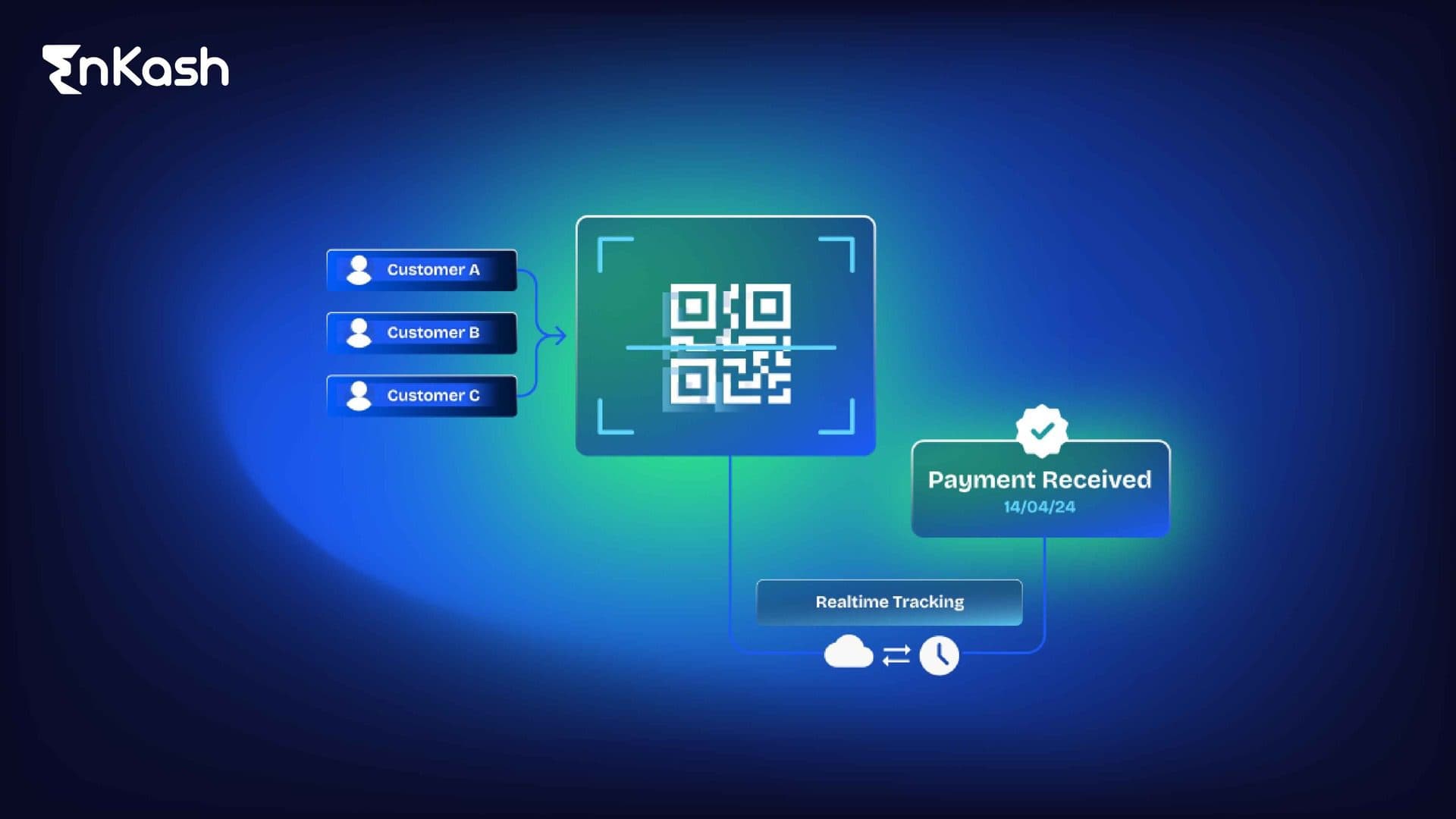
When customers scan the QR code, they are redirected to a secure payment Gateway screen with merchant details already filled in. This reduces cash handling, speeds up collections, and simplifies reconciliation for businesses.
Conclusion
QR codes have become a core part of digital transactions, helping businesses and consumers exchange information and complete payments with ease. From sharing links and images to enabling secure QR code payments, they simplify everyday interactions. By choosing the right type of QR code and using it correctly, businesses can improve payment speed, reduce manual effort, and offer a smoother experience to customers.
FAQs
1. What is a QR code payment?A QR code payment allows customers to pay digitally by scanning a QR code linked to a merchant’s UPI or payment account.
2. How do I scan a QR code and make a payment?Open a UPI or mobile payment app on your smartphone and select the scan option. Point the camera at the QR code, verify the merchant details shown on the screen, and confirm the payment using your UPI PIN.
3. What apps can I use to scan QR codes?Most smartphones can scan QR codes directly using the camera app. QR codes can also be scanned using payment apps such as Google Pay, PhonePe, Paytm, and other UPI-enabled apps.
4. Are QR code payments safe?Yes. QR code payments are secure when used through trusted payment apps and platforms. The QR code only shares payment information, while the transaction is completed through encrypted and secure banking systems.
5. Can QR codes be used for both online and offline payments?Yes. QR codes can be displayed on physical counters, invoices, or digital screens and used for payments in both online and offline business environments.
6. What should I do if a QR code looks suspicious?Avoid scanning QR codes from unknown or untrusted sources. If a QR code appears suspicious, verify it with the business before proceeding with any payment.