What is GST?
GST is a nationwide indirect tax that replaced multiple central and state taxes to create a unified system for goods and services. It streamlines collection, improves transparency, and links taxation directly to consumption. The Central GST Act, State GST Acts, and the Integrated GST Act together define their structure, administration, and compliance rules. Under this model, tax flows through each stage of supply, and businesses claim credits for the GST they already paid on inputs. The system reduces cascading tax effects, supports digital compliance through the GSTN platform, and offers a consistent tax framework across all Indian states and Union Territories.
Calculate GSTHow to download a GST certificate?
You can download your GST registration certificate directly from the GST portal. Here are the steps to follow:
- Visit the official GST portal and log in with your username and password.
- Go to the “Services” menu available on your dashboard.
- Select “User Services” from the dropdown and choose “View/Download Certificates.”
- Open the “Registration Certificate” option listed under your GSTIN.
- Click ‘Download’ to generate the Registration Certificate (Form REG-06) in PDF format. Review the certificate details shown on the portal before saving it.
- Review the certificate to confirm your legal name, trade name, constitution of business, principal place of business, and the date of registration as recorded under the CGST and SGST Acts.
- The certificate also displays the QR code, jurisdiction details, and validity conditions for special categories.
- Save the PDF securely, as it is the official document required for trade, compliance checks, and verification during inspections.
How to calculate GST?
To calculate GST, start by identifying the correct tax rate for the product or service. Rates come from the GST Council and CBIC schedules, so they must match the classification you are supplying. Once the rate is clear, check whether the transaction is within the same state or across states, as this determines whether you apply CGST and SGST together or IGST alone.
Take the taxable value of the supply. This value excludes GST but includes charges that form part of the transaction under Section 15 of the CGST Act. Multiply the taxable value by the applicable GST rate to get the tax amount. If the supply is within the same state, split the amount equally between CGST and SGST. For inter-state supplies, apply IGST directly on the entire value. Add the GST amount to the taxable value to arrive at the final invoice total.
How to check the GST number?
You can check a GST number on the official GST portal through the public search tool. The system verifies registration details directly from the GSTN database, so the information is reliable. Go to the portal and open “Search Taxpayer.” Enter the GSTIN you want to verify. The system displays the legal name, trade name, registration status, principal place of business, and the date of registration as recorded under the CGST and SGST Acts. This lookup helps confirm whether a supplier is genuinely registered and eligible to collect tax. It also assists in preventing input tax credit errors because ITC can be claimed only when the counterparty holds an active registration and files returns correctly.
How many types of GST are there?
CGST (Central Goods and Services Tax)
- Applies to supplies made within the same state.
- Collected by the central government under the CGST Act.
- Works in parallel with SGST for intra-state transactions.
- Ensures the centre receives its share of revenue from local supplies.
SGST (State Goods and Services Tax)
- Levied on intra-state supplies along with CGST.
- Collected by the respective state government under SGST legislation.
- Helps states retain revenue from economic activity within their boundaries.
IGST (Integrated Goods and Services Tax)
- Applies to inter-state supplies, imports, and certain cross-border transactions.
- Collected by the centre under the IGST Act, which later settles the revenue with states.
- Designed to maintain uninterrupted credit flow during movement across states.
UTGST (Union Territory Goods and Services Tax)
- Applies only in Union Territories without legislatures, such as Chandigarh and Lakshadweep.
- Functions similar to SGST but are administered by the centre.
- Paired with CGST for intra-UT supplies.
How to apply for a GST number?
To apply for a GST number, you must complete the registration flow on the GST portal. The steps follow the framework defined by the CGST Rules and GSTN standards.- Visit the GST portal and select “New Registration.”
- Enter PAN, mobile number, and email to generate a Temporary Reference Number.
- Verify OTPs sent to mobile and email to activate the TRN.
- Log in with the TRN to open the complete application form.
- Provide legal name, trade name, business constitution, and principal place of business.
- Upload PAN, Aadhaar, photographs, address proof, bank account details, and authorised signatory documents as required.
- Add details of promoters and partners, including identification and contact information.
- Describe the nature of business activities and additional locations if applicable.
- Complete verification using a digital signature or Aadhaar-based e-authentication.
- The application is forwarded to the jurisdictional officer for review through the GSTN system.
- Once approved, your GSTIN is generated and available for download under the Registration Certificate section.
What is the GST number?
A GST number, officially called a GSTIN, is a 15-digit identification number assigned to every registered taxpayer under the GST law. The first two digits denote the state code; the next ten digits represent the PAN of the business or individual; the thirteenth digit indicates the registration count for that PAN; the fourteenth digit is reserved; and the fifteenth digit is a check code. GSTIN is required to charge tax, claim input tax credit, and file returns. It also enables verification of suppliers through the GST portal. Since GST operates on a digital compliance model, this number serves as the primary identifier for all filings, payments, and audits.
What is ITC in GST?
Input Tax Credit is a mechanism that allows businesses to deduct the GST they paid on purchases from the GST they collect on sales. This system prevents tax cascading and ensures that tax applies only to the value added at each stage. ITC can be claimed only when suppliers upload invoices, file returns, and maintain an active registration, as mandated by the CGST Act. The credit is recorded in the electronic credit ledger on the GST portal after reconciliation with supplier data. ITC cannot be claimed on restricted items listed in Section 17, such as personal consumption, certain motor vehicles, and blocked categories. Maintaining accurate records is essential because ITC affects working capital, tax payments, and compliance accuracy.
What is RCM in GST?
The Reverse Charge Mechanism shifts the responsibility of paying GST from the supplier to the recipient of goods or services. This rule applies to categories notified under GST. For notified goods/services under Section 9(3), the recipient pays tax. For supplies received from unregistered suppliers under Section 9(4), the reverse charge applies only in notified cases (for specified recipients and specified supplies). Under RCM, the recipient records the supply, pays GST in cash through the electronic cash ledger, and then claims input tax credit if the conditions under the CGST Act are met. RCM strengthens tax discipline in sectors where collection at the supplier level may be difficult. It also improves traceability because the buyer becomes responsible for compliance, payment, and invoice reporting.
When was GST introduced in India?
GST was introduced in India through the 101st Constitutional Amendment, which restructured the taxation powers of the Centre and the States. The GST Council finalised the framework, and the central and state GST Acts were passed in early 2017. The introduction aimed to replace multiple indirect taxes, such as excise duty, service tax, VAT, entry tax, and others. This shift aligned India with international practices that follow destination-based consumption taxes. The rollout also marked the transition to a digital compliance system governed by GSTN, which manages returns, payments, and registration data. The introduction laid the foundation for a unified, transparent tax environment.
How to file a GST return?
You can file a GST return through the GST portal by following these steps:
- Collect invoice details for outward and inward supplies, tax liability, and eligible input tax credit as required under the CGST Rules.
- Log in to the GST portal using your GSTIN and access the returns dashboard.
- Open GSTR-1 to report outward supplies. Upload invoice-wise data or use the offline tool if needed.
- Save and submit GSTR-1 after confirming all invoice entries.
Go to GSTR-3B, which requires a summary of taxable outward supply values, exempt supplies, ITC available, and net tax payable.
- Reconcile figures with your electronic credit ledger and cash ledger to avoid mismatches.
- Enter ITC amounts eligible under Sections 16 and 17 of the CGST Act.
- Review the final liability and use the cash ledger to pay any outstanding tax.
- Submit the return using a digital signature or Aadhaar-based verification.
- After filing, the system updates your ledgers and records the filing status for departmental reference and future reconciliation.
When was GST implemented in India?
GST was implemented nationwide on 1 July 2017 after extensive preparations led by the GST Council and the Ministry of Finance. This date marked the operational start of CGST, SGST, IGST, and UTGST laws across the country. The rollout replaced multiple indirect taxes with a unified system aimed at reducing tax cascading and improving ease of business. The implementation also introduced a digital compliance backbone through GSTN, which supports registration, invoice uploads, return filing, and payment management. The launch created a single market structure where goods and services move across state borders with consistent tax treatment. This implementation date remains a key milestone in India’s economic reform timeline.
How much GST applies to gold jewellery and making charges?
Gold attracts GST at rates defined by the GST Council. The tax on gold jewellery is 3% of the transaction value. Making charges (labour/service component) typically attract 5% GST when shown separately from the value of gold. Import of gold incurs additional customs duties as per CBIC notifications, which operate alongside IGST where applicable. These rates ensure uniform taxation across states and clarify how tax is applied on both material and labour components. Businesses must reflect both elements separately on invoices to ensure transparency and accurate input tax credit treatment. Staying up to date with Council notifications is important because rate changes depend on periodic reviews.How to register for GST?
GST registration is completed through the GST portal using a structured application process. Follow these steps:
- Visit the GST portal and choose “New Registration.”
- Enter PAN, mobile number, and email to generate a
- Temporary Reference Number.
- Verify both OTPs to activate the TRN.
- Log in using the TRN to access the complete registration form.
- Provide legal name, trade name, business constitution, and principal place of business.
- Upload supporting documents, including PAN, Aadhaar, proof of business address, bank account details, and photographs.
- Add details of promoters, partners, and authorised signatories, including identity and contact information.
- Select the nature of business activities and any additional business locations.
- Confirm jurisdiction details assigned under the CGST and SGST Acts.
- Submit the application using a digital signature or Aadhaar authentication.
- The application is routed to the jurisdictional officer via the GSTN for verification.
- After approval, the GSTIN appears in your registration dashboard, and the certificate becomes available for download.
How to cancel GST registration?
You can cancel GST registration online when the business closes, undergoes structural changes, or no longer meets registration requirements. The steps are:
How to check GST status?
GST registration status can be checked without logging in, using the public search feature on the GST portal. You enter the GSTIN or the application reference number. The system retrieves real-time status from the GSTN database and displays whether the registration is active, pending for verification, cancelled, or suspended. If you are checking the status of a new registration, the portal shows acknowledgment numbers, submission dates, and officer actions. This feature helps businesses validate supplier compliance because only active GSTINs can issue tax invoices and support ITC claims. It also helps you track your registration progress after submitting an application.What is the composition scheme in GST?
The composition scheme is a simplified tax option designed for small businesses with lower turnover, as notified by the GST Council. Composition taxpayers file a quarterly statement (CMP-08) and an annual return (GSTR-4), instead of detailed monthly filings. Manufacturers, traders, and small restaurants can opt in if they meet the turnover limits under Section 10 of the CGST Act. They cannot collect GST from customers and cannot claim input tax credit. The scheme reduces compliance costs by avoiding detailed invoice reporting and frequent return filings. It helps small enterprises maintain predictable obligations while operating within a lighter compliance structure.
What is a GST return?
A GST return is a statement that records outward supplies, inward supplies, tax liability, and input tax credit for a specific tax period. Returns are filed on the GST portal and processed through the GSTN system, which updates electronic ledgers. GSTR-1 captures outward supplies, while GSTR-3B summarises tax liability and ITC. Returns must match supplier-reported invoices to maintain accurate credit claims under the CGST Act. Filing returns is mandatory for all registered taxpayers, even when there is no business activity during the period. These returns help the tax authorities track compliance, reconcile transactions, and maintain transparency across the supply chain.What kind of tax is GST?
GST is a destination-based indirect tax applied to the supply of goods and services. It follows a consumption model, meaning tax is collected where the goods or services are finally consumed. The GST Council designed it to replace earlier indirect taxes, such as excise duty, service tax, and state VAT. GST operates on a value-added basis, where tax paid at earlier stages is eligible for input tax credit. Because GST is governed simultaneously by the Centre and the States through CGST, SGST, IGST, and UTGST laws, it functions as a dual taxation model. This framework ensures uniform tax treatment across India while supporting seamless credit flows and preventing cascading.
How to calculate GST percentage?
To calculate GST percentage, you first identify the correct rate from the schedules notified by the GST Council and CBIC. These rates fall under slabs of 0%, 5%, 12%, 18%, and 28%. After selecting the rate, apply it to the taxable value of the supply, which is defined under Section 15 of the CGST Act. This value includes all charges that form part of the transaction but excludes GST.If the supply is within the same state, split the tax into CGST and SGST, each forming half of the total rate. For inter-state transactions, apply the full IGST rate to the taxable value.Example:If a product is priced at ₹1,000 and falls under the 18% GST slab, the GST amount is ₹1,000 × 18% = ₹180.For an intra-state sale (within the same state): CGST = ₹90 and SGST = ₹90.For an inter-state sale (across states): IGST = ₹180.How to create a GST number?
A GST number, or GSTIN, cannot be created manually. It is generated automatically by the GST system once the registration application is approved. You begin by applying for registration on the GST portal, entering your PAN, generating a Temporary Reference Number, completing the detailed form, and uploading documents. The jurisdictional officer verifies the application. After approval, the GSTN system assigns a 15-digit GSTIN based on PAN, state code, and registration sequence. You can then download your registration certificate, which includes the GSTIN, QR code, and jurisdiction details.
What is cess in GST?
Cess in GST is an additional levy imposed on specific goods such as luxury cars, aerated drinks, and tobacco products. It is governed by the GST (Compensation to States) Act. While the compensation period ended earlier, the levy was extended up to 31 March 2026 to service the related borrowings and liabilities. Cess applies only to notified goods and does not impact all taxpayers. Input tax credit cannot be used to offset cess liability unless the credit relates to the cess itself. The amount collected is deposited into a designated compensation fund, which is monitored by the central government.
What is the GST Council?
The GST Council is the apex decision-making body responsible for administering the GST framework. It was established under Article 279A of the Constitution. The Council comprises the Union Finance Minister as Chairperson, the Union Minister of State for Finance, and finance ministers from all states and Union Territories with legislatures. The Council recommends tax rates, exemption lists, compliance rules, return formats, and procedural changes. It also reviews compensation mechanisms and amendments to GST law. Decisions aim for uniformity across India and rely on consensus-based voting. The Council’s recommendations guide CBIC notifications and state GST amendments, shaping how GST functions nationwide.
How to calculate GST on MRP?
GST on MRP applies only when the price printed on the product is inclusive of all taxes. In such cases, you must extract the GST portion from the MRP instead of adding it. First, identify the GST rate applicable to the product. Then use the reverse-calculation formula:GST Amount = (MRP × GST Rate) ÷ (100 + GST Rate)Example:If the MRP is ₹1,180 and the GST rate is 18%, the GST amount is: (1,180 × 18) ÷ 118 = ₹180Here, the base price becomes ₹1,000, and ₹180 represents the GST portion. This method ensures compliance because MRP-based supplies must clearly reflect taxes already included, as required by Legal Metrology rules and GST pricing provisions.How to change the mobile number in the GST portal?
You can change the mobile number on the GST portal by updating authorised signatory details. Here are the steps to follow:
- Log in to the GST portal using your GSTIN and password.
- Go to Services -> Registration -> Amendment of Registration (Core Fields).
- Open the Authorised Signatory tab.
- Select the signatory whose mobile number you want to update or add a new signatory if required.
- Enter the new mobile number and ensure all identity details match existing records.
- Verify the mobile number using the OTP sent to the updated contact.
- Ensure the selected authorised signatory is marked as the Primary Authorised Signatory, if needed for OTP-based filings.
- Submit the amendment using DSC or Aadhaar authentication.
- The request is forwarded to the jurisdictional GST officer for approval.
- Once approved, the new mobile number becomes active for all GST notices, OTPs, e-verification, and communication.
What is LUT in GST?
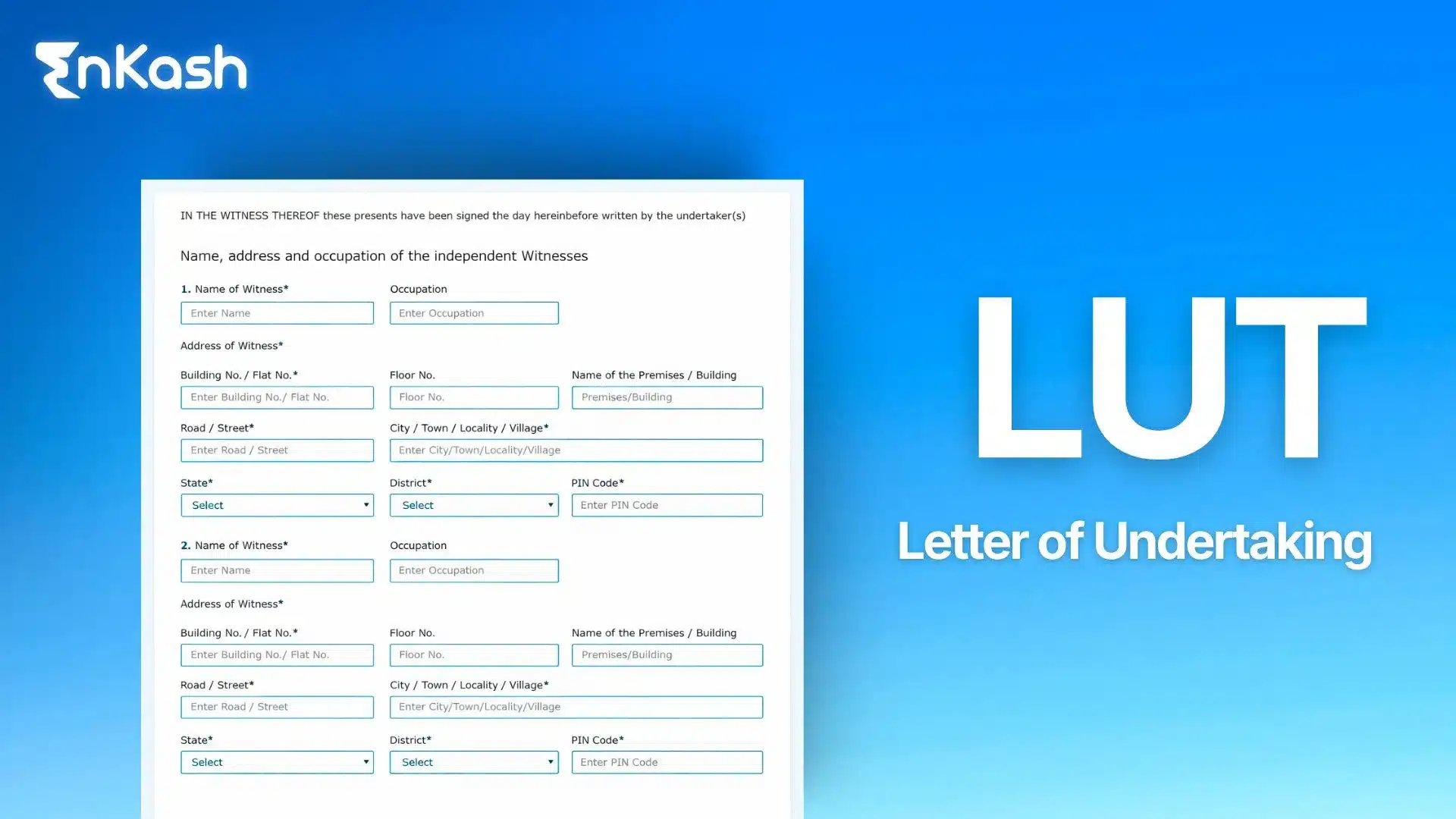
A Letter of Undertaking (LUT) allows exporters to supply goods or services without paying IGST at the time of export. It is permitted under Rule 96A of the CGST Rules. Registered taxpayers engaged in exports or zero-rated supplies to SEZ units can furnish an LUT annually. You submit the form online through the GST portal by confirming that you will comply with export timelines and abide by GST conditions. Once accepted, the LUT allows you to avoid upfront IGST payments, improving cash flow. If export obligations are not met, the taxpayer becomes liable for IGST and interest.
How to change addresses in the GST portal?
Business address updates require a core-field amendment request. Here’s how you can initiate the request:
- Log in to the GST portal using your GSTIN and credentials.
- Navigate to Services -> Registration -> Amendment of
- Registration (Core Fields).
- Select the Principal Place of Business or Additional Place of
- Business section, depending on what needs updating.
- Enter the new address details exactly as shown in the supporting documents.
- Upload valid address proof such as an electricity bill, rent agreement, property tax receipt, possession letter, or consent letter from the owner.
- Update contact and nature-of-business information if required at the new location.
- Review the amendment and submit it using DSC or Aadhaar authentication.
- The request is assigned to the jurisdictional officer for verification.
- Post approval, the updated address appears instantly in your GST registration certificate.
How to claim GST refund?
You can claim a GST refund through the online refund application FORM RFD-01. Refunds apply to cases like excess cash balance, export of goods or services, inverted duty structure, and IGST paid on exports. Begin by selecting the refund category and uploading supporting documents, such as invoices, shipping bills, bank realisation certificates, and declarations required under the CGST Rules. The system generates an acknowledgment in RFD-02. The jurisdictional officer reviews the claim and may seek clarification through RFD-03. Once verified, a provisional refund may be issued in RFD-04, followed by a final sanction order in RFD-06. The amount is credited directly to the taxpayer’s bank account. GSTN tracks every stage to maintain transparency and accuracy.