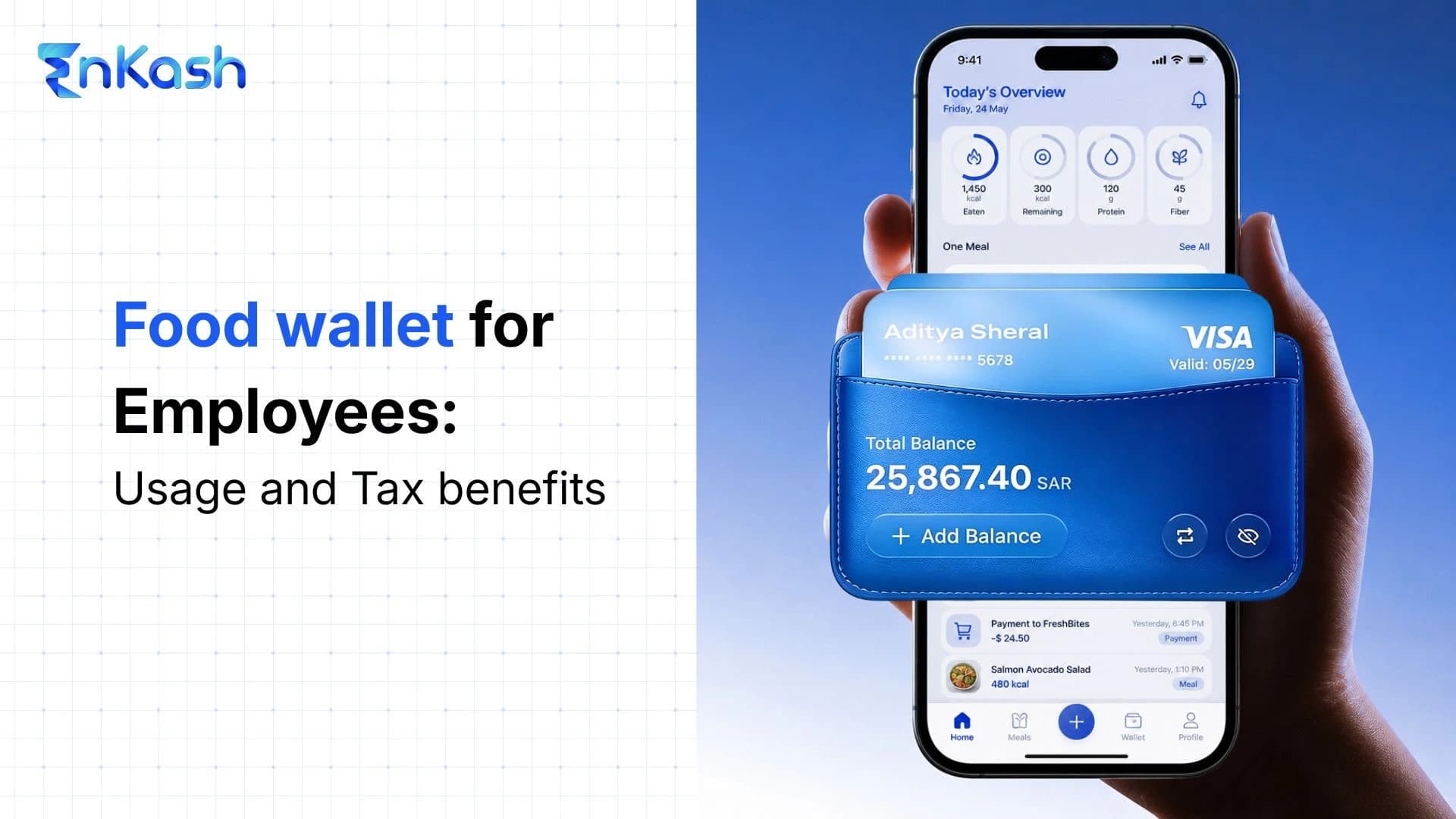
A food wallet helps companies provide employees with a dedicated meal benefit within a controlled digital wallet. Employers load a defined food allowance, employees use it for approved food purchases, and finance teams track usage through digital records. A food wallet for employees works best when companies define the benefit value, merchant rules, payroll treatment, and tax conditions before rollout.
Companies use food wallets to manage meal benefits without relying on cash allowances, paper vouchers, or repeated reimbursement checks. HR teams can assign a food-specific balance, finance teams can monitor usage, and employees can spend the amount at permitted food merchants.
This blog covers:
- How a food wallet works for employees and employers
- Why employees benefit from dedicated food spending
- How employers manage food wallets with better records
- What tax rules affect food wallet planning in India
- How EnKash supports food wallet use through structured meal benefits
- How the food wallet vs food card comparison helps businesses choose better
- Why a multi-wallet food card can help companies manage several employee benefits in one system
What is a Food Wallet
A food wallet is a dedicated employee benefit wallet that allows employees to use a fixed meal allowance for approved food-related expenses. Employers use it to separate food benefits from salary, reimbursements, and other allowances.
A food wallet has a narrower role than a regular payment wallet. Employees cannot treat it like open cash when the employer applies food-category controls. The company decides the benefit value, eligible users, allowed categories, and payroll classification before employees start using it.
Read More: Tax-Benefit Multi-Wallet Card
A food wallet usually includes these core elements:
- A food-specific balance is assigned to the employee.
- Usage rules linked to approved food merchants.
- Employer-defined benefit limits and eligibility.
- Digital records for food-related expenses.
- Payroll mapping for salary and tax review.
- Controls that separate food benefits from other allowances.
HR and finance teams should define a food wallet before adding it to salary planning. The policy must spell out the monthly value, eligible purchases, payroll treatment, and record-keeping process, so employees know how to use the balance and the company avoids treating it like a loose allowance.
How Does a Food Wallet Work?
A food wallet works when the employer assigns a food-benefit amount to an employee account, and the system checks every payment against the balance, merchant type, and company rules. The employee sees the available value, uses it at an eligible food merchant, and the platform records the transaction for payroll and finance review.
The workflow has clear stages:
HR adds the employee to the benefit setup: HR enters the employee's details, assigns eligibility, and maps the person to the correct benefit category.
Finance approves the loading amount: Finance confirms the value based on payroll input, employee grade, joining status, or company food-benefit policy.
The platform updates the wallet balance: The employee receives the usable food balance after the company completes the funding process.
The employee makes a payment: The wallet checks the transaction amount, available balance, merchant category, and permitted usage settings before approving the transaction.
The system accepts or declines the transaction: The payment goes through when the transaction matches the rules. It fails when the merchant category, balance, or card settings do not meet the requirements.
Finance reviews the month-end activity: Finance checks load history, usage, unused value, failed transactions, and employee status before the next cycle.
This process helps employers spot incorrect usage early and helps employees understand why a payment succeeds or fails.
Benefits of a Food Wallet for Employees
A food wallet benefits employees by making meal support visible, usable, and easier to plan through the month. Instead of treating the food allowance as a hidden salary line, employees can see the available balance and use it for approved food expenses. The benefit also works better when HR clearly explains the eligible categories, the monthly value, and tax conditions.
Direct Access to Meal Value
Employees can use the loaded food balance before spending personal money. This helps during office days, field visits, late work hours, and regular meal breaks, where food expenses recur.
Better Visibility Over Food Spending
A food wallet for employees lets users check their balances and transaction history before placing an order or making a purchase. This reduces confusion around how much value remains for the month.
Less Reimbursement Follow-Up
Employees avoid the irritation of having to save every small bill, submit claims, and wait for approval. They use the assigned food value directly, which makes the benefit feel easier to access.
Possible Tax-Efficient Meal Benefit
A food wallet may support tax-efficient meal benefits when the employer adheres to prescribed limits, eligible-use rules, and payroll documentation. Employees should check the company policy, as tax treatment depends on proper structuring.
Cleaner Separation From Personal Expenses
The wallet keeps approved food spending away from personal bank accounts. This separation helps employees track workplace meal use without mixing it with household shopping or personal dining expenses.
Read more: Flexi-Benefits for Employees in India
Benefits of a Food Wallet for Employers
A food wallet helps employers turn meal benefits into a budgeted, auditable, and easy-to-update employee benefit. The company can adjust access when teams grow, employees shift roles, or monthly benefit values change. This makes a food wallet for employees useful for companies that need clearer benefit governance across active employees.
Faster Benefit Rollout Across Teams
Employers can issue food wallet access to selected employees without rebuilding the whole salary process. This helps during new hiring, branch expansion, benefit policy changes, or grade-based allowance updates.
Cleaner Month-End Review
Finance teams can review loaded value, used value, unused balance, and failed transactions before closing monthly records. This gives them sharper data than scattered food bills or delayed employee claims.
Lower Risk of Benefit Leakage
Employers can update wallet access when employees resign, move departments, or lose eligibility. This reduces instances in which meal benefits continue after the employee no longer qualifies under company policy.
Stronger Internal Policy Discipline
Companies can link food wallet usage with written benefit rules. This helps HR explain eligibility, usage boundaries, and taxable treatment without depending on verbal instructions.
Better Cost Planning
A food wallet helps companies estimate recurring meal benefit costs before loading funds. Finance teams can compare allocations against actual usage and adjust allocations for the next cycle with cleaner numbers.
Easier Documentation for Reviews
Employers get employee-wise load history, wallet status, usage summaries, and exception records. These details help during payroll checks, internal reviews, and tax documentation.
Food Wallet Tax Benefits in India
Under the Income-tax Rules, 2026, the employer-provided meal benefit limit is reported at ₹200 per meal, subject to conditions such as provision during working hours and use of paid vouchers only at eating joints. Employers should verify the final rule text, payroll treatment, and employee eligibility before rollout. For a food wallet, the tax treatment depends on the meal value, usage condition, payroll mapping, and any amount loaded above the eligible limit. Payroll teams should review the calculation before processing salaries because an incorrect classification can turn a planned tax benefit into a taxable perquisite.
Eligible Meal Value With Example
Employers commonly calculate the monthly meal value by using ₹200 per meal, two meals per working day, and 22 working days in a month.
Here is how the calculation works:
- ₹200 is considered for one eligible meal.
- Two meals in a working day make the daily value ₹400.
- ₹400 multiplied by 22 working days gives a monthly value of ₹8,800.
- ₹8,800 multiplied by 12 months gives an annual value of ₹1,05,600.
| Calculation Step | Amount |
|---|
| Eligible value per meal | ₹200 |
| Two meals per working day | ₹400 |
| Monthly value for 22 working days | ₹8,800 |
| Annual value for 12 months | ₹1,05,600 |
For example, if a company loads ₹8,800 per month into an employee's food wallet, the value is calculated using the common meal-benefit formula. If the company loads ₹10,000 per month, payroll teams should review the additional ₹1,200 carefully, as the excess may be taxable depending on the salary structure and policy treatment.
Conditions Employers Should Check
A food wallet should support eligible meal usage, not unrestricted spending.
- Link the wallet to purchases of food and non-alcoholic beverages.
- Allow spending only at permitted food merchants.
- Keep monthly loading aligned with the meal-benefit calculation.
- Maintain employee-wise load, usage, and balance records.
- Map the benefit correctly in payroll.
When Tax Treatment Needs Review
Employers should review tax treatment when the loaded amount crosses the eligible meal value, employees use the wallet outside approved categories, or the company pays the benefit as cash. A food wallet gives better tax value when HR, payroll, and finance teams treat it as a documented meal benefit from the start.
How EnKash Supports Food Wallet Use
EnKash helps companies manage food benefits through its employee-benefit multi-wallet card. Businesses can allocate Food & Meal benefits into a dedicated wallet, keep them separate from other benefit categories, and track usage through digital records.. Businesses can use the food and meal wallet to shift meal support from taxable cash handling to a defined benefit category. Employees receive usable value for daily food needs, while employers keep the benefit linked to policy and usage controls.
Food and Meal Wallet for Daily Meals
The EnKash food and meal wallet supports meal benefits for eligible employees. It helps companies load their meal card, which they can use at online/offline F&B merchants without asking employees to submit meal receipts for every small expense.
Tax-Efficient Benefit Planning
EnKash positions the Food & Meal wallet for tax-efficient meal benefit planning. The illustrative annual value can go up to ₹1,05,600 when calculated at ₹200 per meal, two eligible meals per working day, and 22 working days per month, subject to company policy, employee eligibility, and applicable tax rules. Payroll teams still need to check the final treatment against the salary structure and applicable rules.
Multi-Wallet Benefit Control
For companies managing more than one benefit, EnKash’s multi-wallet structure helps keep Food & Meal, Fuel, Telecom, Gifts, and LTA benefits separate on a single card. This separation supports clearer payroll review because each benefit category can have its own rules, limits, usage controls, and documentation requirements.
Practical Use for Employers
Companies can use EnKash to organize employee benefits without turning every allowance into a cash payout. A structured food wallet for employees gives HR and finance teams a clearer way to assign benefit values, monitor usage, and reduce the receipt-heavy work of food reimbursement.
Food Wallet vs Food Card
A Food wallet vs. food card comparison is useful when a company needs to decide which it wants to manage first: the benefit category or the payment instrument. A Food wallet defines the food allowance inside the benefit system. A food card allows employees to spend the approved amount at permitted merchants.
| Comparison Point | Food Wallet | Food Card |
|---|
| Main purpose | Defines the food-benefit balance | Enables payment from the assigned balance |
| Format | Digital wallets inside a benefit platform | Physical or virtual prepaid card |
| Employee action | Checks available food value | Pays at approved food merchants |
| Employer decision | Sets category, value, and eligibility | Chooses card type, controls, and usage settings |
| Best suited for | Companies managing separate benefit categories | Companies that want direct employee payment access |
| Policy relevance | Clarifies what the allowance belongs to | Controls where the employee can spend it |
| Tax review angle | Supports benefit classification | Supports transaction-level food usage evidence |
A multi-wallet food card works well when a company wants separate benefit balances within a single card setup. The food wallet can hold meal value, while other wallets can hold fuel, telecom, gift, travel, or flexible benefit amounts. This structure reduces benefit mixing and gives each allowance a clearer purpose during payroll review.
What is a Multi-Wallet Food Card?
A multi-wallet food card lets a company assign more than one employee benefit balance to a single prepaid card. The food wallet carries the meal benefit, while separate wallets can carry fuel, telecom, gift, LTA, or other approved allowances. This structure works better than a combined balance because each benefit needs its own limit, usage rule, and payroll treatment.
Separate Wallets for Separate Benefits
A company can keep the meal allowance inside the food wallet and place other benefits in their own wallets. Where wallet and merchant-category controls are enabled, this prevents an employee from using the food balance for fuel, the gift balance for meals, or the telecom allowance for unrelated spending.
One Card Instead of Multiple Instruments
Employees do not need different cards for every benefit category. A single card can carry multiple wallet balances, and the system applies the correct wallet based on the transaction type and permitted category.
Category-Level Usage Rules
A multi-wallet food card gives the employer sharper control over how each allowance gets used. Food transactions can draw from the meal wallet and fuel transactions from the fuel wallet, based on configured rules, merchant category mapping, and provider controls.
Cleaner Payroll and Benefit Review
HR and finance teams can review each wallet separately during salary planning, tax checks, and month-end benefit reconciliation. This matters because food, fuel, telecom, gifts, and LTA do not follow the same tax treatment or documentation requirements.
Better Fit for Flexible Benefits
A multi-wallet food card works well when a company wants to offer flexible benefits without creating a confusing allowance system. Employees get one access point, while the company keeps each benefit category clearly separated.
Closing Thoughts
A food wallet should give meal benefits a clear structure from day one. Companies need to decide the eligible value, food-use rules, refresh cycle, employee eligibility, and payroll treatment before they roll it out. Employees also need simple instructions on where the balance works and which transactions may fall outside policy. For teams managing multiple allowances, a multi-wallet food card can keep food, fuel, telecom, gifts, and other benefits in separate buckets without adding confusion. Businesses that want a cleaner way to manage an employee food wallet can consider the EnKash food and meal wallet as a practical place to start.
FAQs
Is a food wallet taxable?
A food wallet may support tax-efficient meal benefits when it is structured according to the applicable income-tax rules, usage conditions, employer policy, and payroll documentation. Any amount above the eligible limit or used outside approved categories may require separate tax treatment.
How much can be loaded into a food wallet?
The company can decide the loaded value based on policy. For tax-aware planning, employers may use an illustrative calculation based on ₹200 per meal, eligible meals per working day, and working days in the month. Payroll teams should review any excess amount carefully.
Is a food wallet the same as a meal card?
No. A food wallet defines the meal-benefit balance inside a benefits system. A meal card is the payment instrument that allows employees to spend the approved balance at eligible merchants.
How can remote employees use a food wallet?
Remote employees can use a food wallet when company policy allows meal benefits outside office premises. HR teams should define eligible workdays, approved merchant types, location rules, and wallet access before issuing the benefit.
What happens to the unused food wallet balance at month-end?
The unused food wallet balance follows the employer’s benefits policy. Companies may allow carry-forward, reset the balance monthly, or apply an expiry rule. Employees should check this condition before planning monthly food spending.
Why does a food wallet payment get declined?
A Food wallet payment can fail due to insufficient balance, an unsupported merchant category, expired access, an inactive wallet status, or a blocked transaction setting. Employees should check the reason for the decline before contacting HR support.
How can companies assign different food wallet limits?
Companies can assign different food wallet limits by grade, role, location, work model, or internal benefit policy. Payroll teams should document each rule clearly before loading balances for different employee groups.
What should HR explain before launching a food wallet?
HR should explain eligible food purchases, monthly value limits, merchant restrictions, balance rules, failed payment handling, and tax conditions. Clear rollout communication helps employees use the food wallet correctly from the first month.
How can finance teams reduce misuse of the food wallet?
Finance teams can reduce misuse by checking merchant categories, reviewing failed transactions, tracking unusual spending, and matching wallet activity with written policy. A food wallet for employees needs regular monitoring after launch.
How does a food wallet support hybrid work teams?
A food wallet supports hybrid teams by enabling employers to define benefit access for office days, remote days, and approved food purchases. Clear rules prevent confusion when employees work across different locations during the month.
What payroll details should companies verify before issuing food wallets?
Companies should verify employee status, grade, benefit value, joining date, exit date, tax treatment, and salary mapping before issuing food wallets. Accurate payroll data prevents wrong loads and later correction work.
What should companies do with a food wallet during employee exit?
Companies should deactivate wallet access, check unused balance treatment, update payroll records, and close benefit eligibility during employee exit. HR should include food wallet closure in the offboarding checklist.
How often should companies review food wallet usage?
Companies should review food wallet usage before every payroll cycle. Finance teams should check loaded value, unused balance, failed payments, employee eligibility, and policy exceptions before approving the next benefit load.