UPI has made scanning a QR code an everyday way to pay at restaurants, cafés, food courts, and neighbourhood stores. Employee meal benefits, however, have traditionally depended on physical cards, limited merchant networks, or reimbursement claims.
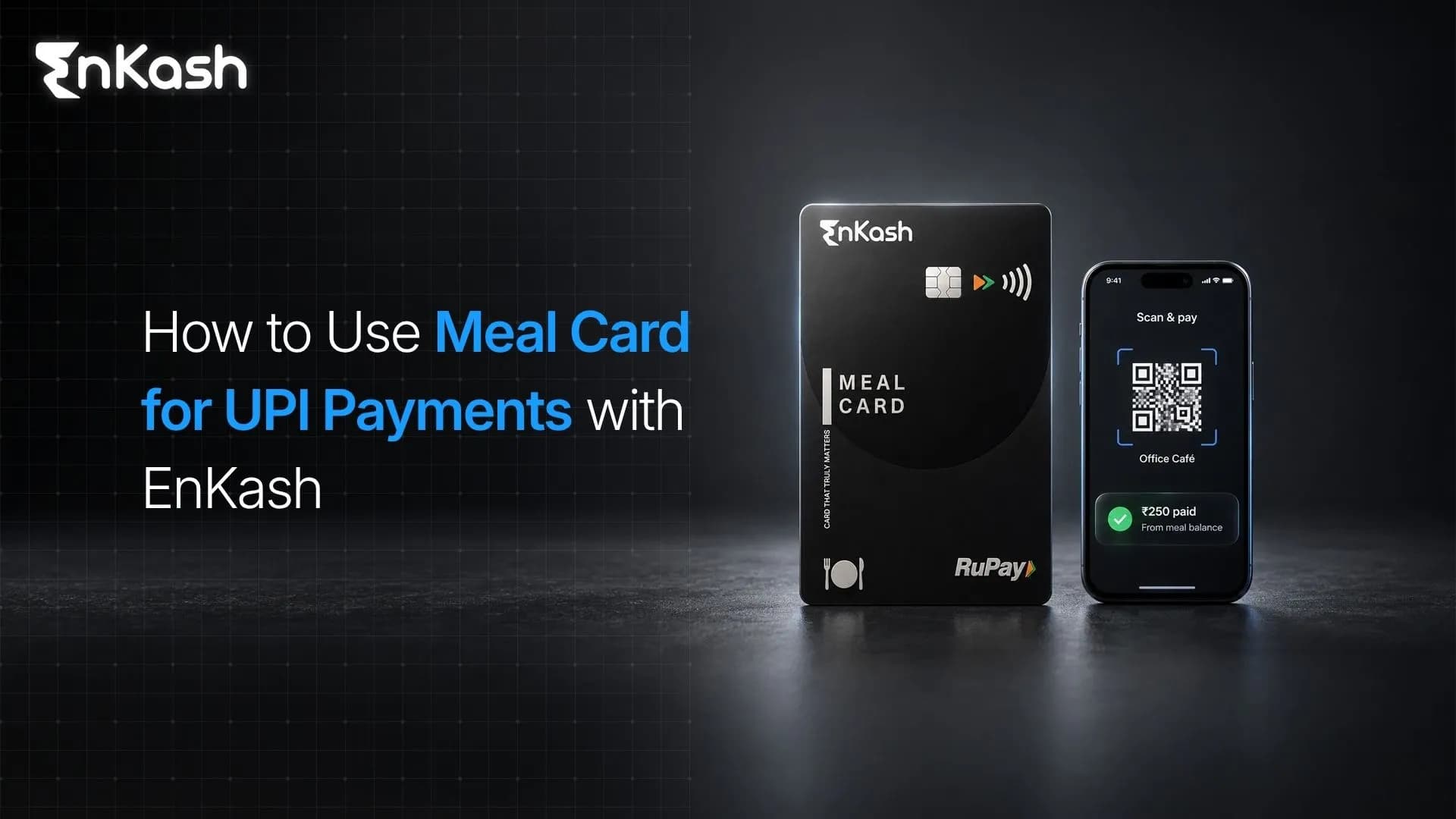
The EnKash Meal Card brings that familiar UPI experience to employee meal benefits, allowing employees to scan eligible merchant QR codes and pay from their employer-funded meal balance. Here's what the card offers, how UPI works with that balance, and how to make a payment.
What is an EnKash Meal Card?
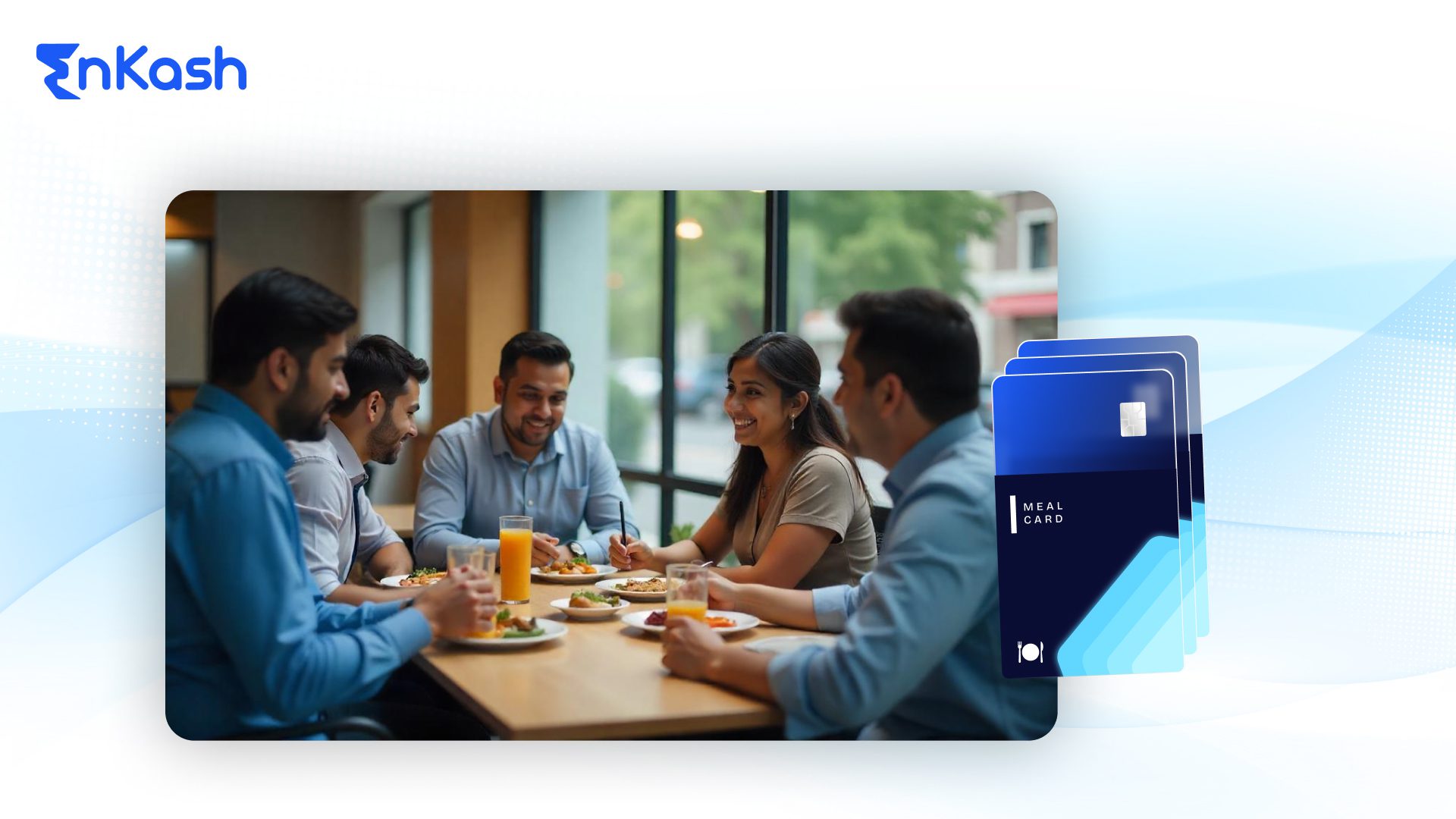
The EnKash Meal Card is an employer-funded prepaid benefit for eligible food and grocery purchases. Employees spend from the loaded balance instead of paying first and submitting a reimbursement claim.
It supports:
- UPI-based Scan & Pay at eligible merchant QR codes
- Physical or virtual card payments on RuPay rails
- Online payments on supported food-delivery and grocery platforms
- Available balance and transaction history in the EnKash app
- Merchant-category controls for purpose-based usage
UPI is the payment interface, while the Meal Card balance is the source of funds. When that balance is selected, the payment does not debit the employee's savings account.
How Does UPI Work With the EnKash Meal Balance?
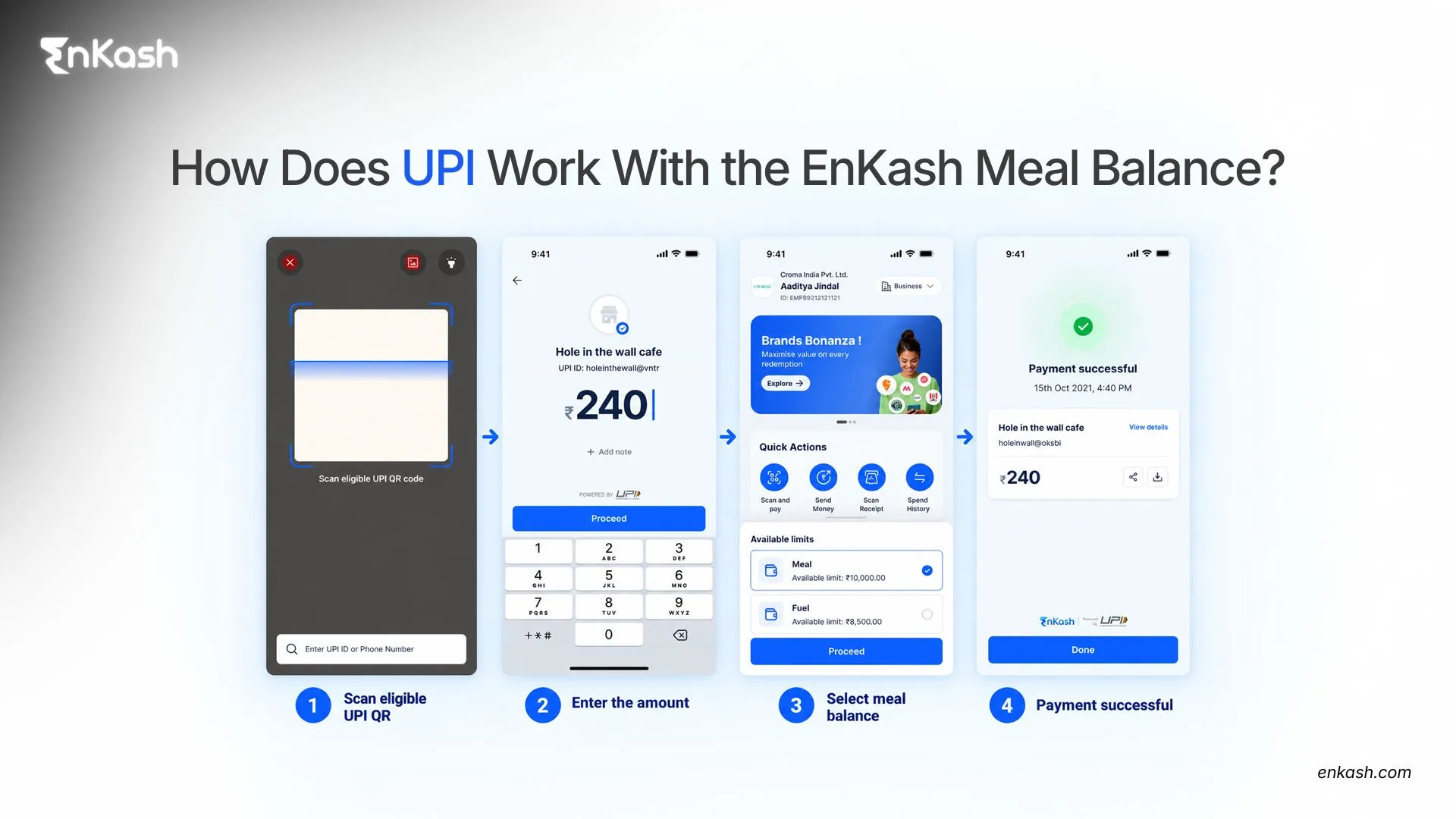
When an eligible UPI payment is made through the EnKash Meal Card, the transaction uses the available meal-benefit balance rather than debiting the employee's personal bank account. The payment is still subject to merchant eligibility, available balance, employer controls and the product configuration associated with the employee's card.
This gives employees a familiar scan-and-pay experience while allowing the meal benefit to remain purpose-controlled.
What Makes EnKash India's First UPI-Enabled Meal Card?
Conventional meal cards have primarily depended on card machines or restricted acceptance networks. EnKash introduced UPI payments directly from the meal benefit balance, combining Scan & Pay with employer controls.
The distinction lies in what funds the UPI payment. Instead of debiting a bank account, an eligible transaction uses the employee's EnKash meal balance. Merchant-category controls restrict usage, while HR and finance teams retain centralised visibility over issuance, loading, and transactions.
EnKash Meal Card vs Other Meal Cards
The EnKash Meal Card lets employees pay from their meal balance using UPI Scan & Pay, physical or virtual RuPay cards, and supported online checkout. This gives employees more ways to use their meal benefits at eligible food and grocery merchants.
| Feature | EnKash Meal Card | Others |
|---|
| Payment methods | UPI Scan & Pay, physical or virtual RuPay cards, and supported online payments | Card payments and supported online payments. No UPI payments from the meal balance |
| Merchant acceptance | Eligible food and grocery merchants accepting UPI or RuPay payments | Affiliated merchant networks or eligible food merchants accepting Visa/RuPay cards |
| Online food and grocery purchases | Supported platforms including Swiggy, Zomato, and Blinkit | Participating food-delivery and grocery platforms, depending on the programme |
Merchant eligibility, available balance, and employer policies govern acceptance across meal-card programmes.
With EnKash, employees can scan an eligible merchant's UPI QR and use their meal balance without needing a card machine for that transaction.
How to Use the EnKash Meal Card for a UPI Payment
Step 1: Check That the Merchant Is Eligible
The QR code should belong to a food or grocery merchant permitted under the Meal Card programme. A shop displaying a UPI QR is not automatically eligible; acceptance depends on whether the merchant is classified within an eligible merchant category, as well as the controls configured for the Meal Card.
Step 2: Open the EnKash App and Choose Scan & Pay
Log in to the EnKash app, check your available Meal Card balance, and choose Scan & Pay. Allow camera access if requested.
Step 3: Scan the Merchant's UPI QR Code
Scan the QR displayed by the restaurant, café, food court, supermarket, kirana store, or other eligible merchant. Use the merchant's business UPI QR. Personal UPI QR codes are not intended for Meal Card merchant payments and may not pass the required merchant-category controls.
Step 4: Verify the Payment Details
Check the merchant name. Enter the bill amount for a static QR code; a dynamic QR may display a pre-filled amount. Confirm that it matches your bill.
Step 5: Choose the Meal Balance
The EnKash app displays the amount available in your meal balance. If more than one balance is shown, select the Meal Card or meal wallet.
Step 6: Authorise the Transaction
Complete authentication using the credentials requested on screen. Never share your UPI PIN, OTP, card PIN, or password with the merchant or anyone claiming to assist with the payment.
Step 7: Confirm the Status
Confirm that the transaction has reached a successful state in the app or that the merchant has received confirmation before treating the payment as complete. The EnKash app lets you view the transaction entry and updated meal balance. If the transaction is pending, do not immediately attempt the same payment again. Check transaction history or final status first to reduce the risk of duplicate payment.
Where Can You Use the EnKash Meal Card?
Subject to merchant eligibility and employer policy, the card can be used at food-related merchants such as:
- Restaurants and cafés
- Food courts and corporate cafeterias
- Bakeries and food outlets
- Supermarkets, kirana stores, and grocery merchants
- Supported food-delivery and grocery platforms
For online orders, use the payment method supported by both the platform and your EnKash setup. This may be a virtual or physical card payment rather than a QR-based UPI journey.
Why Can an EnKash Meal Card UPI Payment Fail?
A failed transaction does not always indicate a problem with UPI. Common reasons include:
- Required KYC is incomplete
- The Meal Card has not been activated
- The meal balance is insufficient
- The QR is linked to a personal account rather than an eligible merchant account
- The merchant's registered category is not eligible for the Meal Card transaction
- The service is temporarily unavailable, or the transaction has timed out
Check the balance, activation status, merchant name, and transaction history in the EnKash app. If payment continues to fail, use a backup method and report the details to EnKash support or your company's HR or finance team. Do not repeatedly authorise a pending payment.
Tax Treatment of Meal Benefits in India
Under the Income-tax Rules, 2026, effective from 1 April 2026, employer-provided food and non-alcoholic beverages can receive nil perquisite valuation, subject to the prescribed conditions, where they are provided during working hours at the office or business premises or through paid vouchers usable only at eating joints, up to ₹200 per meal.
The often-quoted figures of ₹8,800 per month and ₹1,05,600 per year are illustrative. They assume two eligible meals per working day, 22 working days per month, and 12 months. These figures are illustrative annualised values based on an assumed working pattern; they are not separate statutory monthly or annual limits. The underlying rule is expressed as a maximum value of ₹200 per eligible meal, subject to the prescribed conditions. Employers should align the programme with their payroll policy and obtain professional tax advice where required.
Benefits for Employees and Employers
For employees, the EnKash app brings balance checks, UPI payments, and transaction tracking into one place without reimbursement paperwork.
For HR and finance teams, EnKash provides centralized issuance, balance loading, merchant controls, transaction visibility, and reporting without paper vouchers or recurring claims.
Frequently Asked Questions
Can I use the EnKash Meal Card on every UPI QR code?
No. The QR must belong to an eligible food or grocery merchant. Payment acceptance also depends on the merchant category, available balance, EnKash configuration, and the employer's usage policy.
How can I check my EnKash Meal Card balance?
Log in to the EnKash app. You can view the available Meal Card balance and recent transactions before or after paying.
Can I transfer the meal balance to another person or withdraw it as cash?
No. The Meal Card is a purpose-specific employee benefit intended for eligible purchases. It is not meant for cash withdrawal or person-to-person transfers.
Can I use the EnKash Meal Card for online food orders?
Yes, EnKash supports payments on major food-delivery and grocery platforms. The checkout route may use the card's online payment credentials rather than UPI Scan & Pay, depending on the platform and account setup.
What should I do if money is deducted but the merchant does not receive it?
Check the final status in your transaction history and save the transaction reference. If it remains pending or failed after the stated resolution period, contact EnKash support or your employer's programme administrator. Do not share your PIN or OTP while seeking assistance.
Does an EnKash Meal Card UPI payment debit my bank account?
No, when the transaction is made from the EnKash meal balance, the amount is deducted from that loaded balance rather than from your personal savings account. UPI provides the scan-and-pay experience; the meal balance provides the funds