Introduction
Instant is an expectation in the times we live in. From food to entertainment, or money transfers, we want everything to process instantly. Mobile banking is one such facet of instant banking that allows quick money transfers. Banks easily facilitate mobile money transfers and receiving. This is possible due to a not-so-popular yet powerful system, MMID. Let us dig further to know how these payments via mobile phones work.
What is MMID?
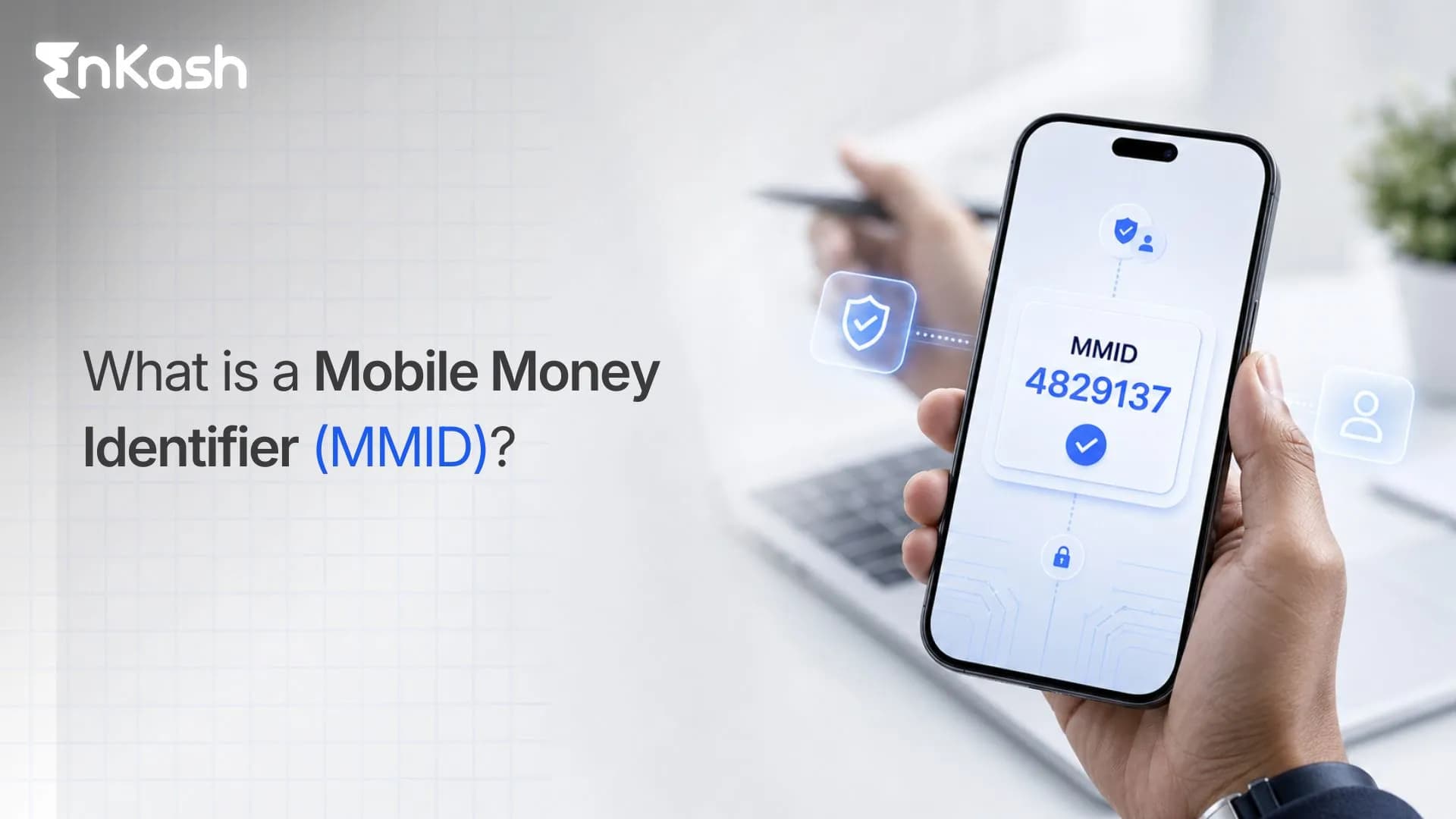
MMID or Mobile Money Identifier is a seven-digit number assigned by a bank to their customers when they start using mobile banking. It connects your bank account with your registered mobile number, allowing you to send or receive money instantly through an IMPS transfer. Each account linked to your phone number gets its own MMID, which helps the system identify where your money should land.
When you use IMPS for transfers, you do not have to type in your account number or IFSC every single time. The transaction only needs two things: your mobile number and MMID. The system does the rest.
Most banks that offer IMPS automatically create an MMID when you register your mobile number. Sometimes, they send it through a text message. Other times, you can generate it yourself inside your mobile banking app or online banking dashboard. If you maintain several accounts in one bank, each gets its own MMID so that transfers never get mixed up.
MMID or Mobile Money Identifier is a unique 7-digit number assigned by a bank to their customers who are using mobile banking. This enables them to send or receive money through IMPS. MMID allows simple transfers without sharing sensitive information as only a mobile number and MMID is enough to send money. MMID is visible in the bank’s app under IMPS or fund transfer section. You can login to your bank’s website too to find your MMID number. You can also generate your MMID number by sending SMS to your bank in a specific format followed by the bank.
Structure of MMID
Every MMID follows a clear structure. It has 7 digits, each serving a specific purpose.
- The first 4 digits help identify the bank that issued the code
- The next 3 digits represent your individual account with the bank
Together, they create a distinct link between your mobile number and your account, making the system instantly recognize where your funds belong.
An MMID code is unique for every account you register under a mobile number. If you hold more than one account in the same bank, each gets a separate MMID to keep transactions from crossing paths. The setup ensures that your mobile number can be linked with several accounts, yet each remains clearly identifiable through its own seven-digit code.
What makes this structure valuable is its precision. Each Mobile Money Identifier acts like a digital signature that confirms your mobile number and account belong together. When a transfer request is made, the system reads both details, verifies the match, and moves the funds directly to the correct account.
From a user’s point of view, the design keeps things simple. You don’t need to remember a long account number or IFSC code. You just use the person’s mobile number and MMID. That short combination makes instant transfers through IMPS possible without sharing sensitive details.
Banks built this structure with security in mind. The information is encrypted within the IMPS network, and the MMID in the Bank cannot be misused alone since the transaction still requires authentication through an MPIN or OTP. In short, those seven digits quietly hold the logic that keeps mobile fund transfers quick, traceable, and secure.
Importance of MMID
MMID is a secure way of transferring funds and receiving them via IMPS. Ideal for mobile or net banking users, it makes transfers on the go.
Ideal for Mobile Banking Users
MMID is designed for users who prefer instant transactions without complex details.
Allows Instant Transfer
MMID enables you to send and receive money in real time, 24/7, even on holidays.
Simplifies Transactions
There is no need to remember long account numbers or IFSC codes; just a mobile number + MMID is enough for transactions.
Increases Security
MMID is linked to a specific mobile number and bank account. It reduces fraud by adding an extra layer of authentication.
Supports IMPS Payments
MMID allows quick digital payments across banks with IMPS.
How to find your MMID number?
You can use the following ways to find MMID:
Net Banking: Log in to your bank’s official website and search for Manage MMID or Mobile Banking Services.
Mobile Banking App: Log in to your bank’s mobile application and go to the Profile, Settings, or Accounts section to find MMID there.
Passbook/Bank Statement: Banks print MMID on their passbook and monthly bank statements.
ATM: You can check MMID by visiting your bank’s ATM. Insert your ATM and opt for mobile banking, and generate MMID.
SMS Banking: Send a specific SMS from your registered phone number to the bank’s designated number to get MMID instantly.
Customer Care: Reach out to your bank’s customer care number to know your MMID.
Charges & Limits for IMPS Transactions Using MMID
Charges for MMID: Banks charge a minimal fee for IMPS transfers using MMID. This fee varies depending on the bank and transaction amount. While some banks allow free IMPS transfers too.
Minimum Transfer Amount: The minimum transfer amount for MMID is usually 1 lakh.
Maximum Transfer Amount: The maximum transfer amount for MMID ranges between 2-5 lakhs per day depending on the bank’s policy.
How to Generate MMID
Getting your MMID is a simple process, but it works only if your mobile number is linked to your bank account. Once that connection is active, the bank’s system can create a unique Mobile Money Identifier for you. Think of it as setting up a small key that ties your phone number directly to your account. The process is easy to follow, and every step makes sense when you see how it fits together.
Step 1: Check if your mobile number is registered
Before anything else, make sure your phone number is registered with your bank. Without that, the bank’s system cannot issue your MMID code. If it is missing, update it first. You can do it through the ATM or by visiting the branch. Once the number is verified, the rest happens smoothly.
Step 2: Activate mobile or internet banking
Next, ensure that mobile banking or internet banking is active on your account. It gives you access to IMPS services and the option to generate your MMID directly. The activation takes just a few minutes, but it sets up the base for everything that follows.
Step 3: Use the mobile app to generate your MMID
- Open your bank’s mobile app.
- Sign in and go to Fund Transfer or IMPS Services.
- Tap on Generate MMID or View MMID.
- The seven-digit MMID number will appear instantly on the screen.
- Many banks also send an SMS confirmation right after.
- It is the fastest method. No paperwork, no waiting.
Step 4: Generate MMID through internet banking
If you prefer a computer over an app, this way works just as well.
- Visit your bank’s website and log in to your account.
- Head to Mobile Banking or IMPS under the payments section.
- Click Generate MMID.
- Your MMID in the Bank will appear, and a confirmation message will reach your phone.
Step 5: Request MMID through SMS or customer care
Some banks let you get your Mobile Money Identifier by sending a short text. You type a message, such as “MMID <last four digits of your account>,” and send it from your registered mobile number. Within seconds, the bank replies with your code. You can also call the customer care line, verify your details, and receive it directly from an executive.
Step 6: Visit the branch if you prefer doing it in person
Walk into your nearest branch, fill out a short form, and ask for your MMID. The bank representative will provide the number on the spot or send it as a message to your registered mobile number.
Step 7: Retrieve or regenerate your MMID when needed
If you misplace the message or change your phone number, do not worry. You can always regenerate your MMID.
- Open your mobile or internet banking portal.
- Go to MMID Services.
- Choose Regenerate MMID and confirm.
- A new code will be issued and linked to your updated number.
How to initiate IMPS transfers with MMID?
Mobile Banking: Log into your bank's mobile app using your MPIN or biometric authentication.
Fund Transfers: Go to the main menu and look for the Fund Transfer or Banking tab.
Select IMPS: Choose the IMPS option.
Look for MMID: Select the option to transfer using Mobile Number and MMID. Also labeled as "P2P" or "Person to Person”
Enter Details: Mention the information required:
- Recipient's Mobile Number
- Recipient's 7-digit MMID
- Amount to be transferred
- Remarks or notes for the transfer (optional)
Confirm & Authenticate: Verify the recipient details, and confirm the transaction by entering your mPIN or providing the OTP sent to your registered mobile number.
How to receive money using MMID?
Follow these steps to receive money using MMID:
Step 1: Generate your MMID: Use your bank’s mobile banking app or internet banking to generate your 7-digit MMID.
Step 2: Details Sharing: To receive money using MMID, share your 7-digit MMID and registered mobile number with the sender.
Step 3: Money Transfer: The sender will use the details shared to send money via MMID using IMPS.
Step 4: Transaction Completion: After the funds are credited to your account, you will receive an SMS notification on your registered phone number.
How to use MMID in Bank Transfers?
- Log in to your bank’s mobile banking app
- Choose IMPS as a payment method
- Select transfer mode via mobile number & MMID
- Enter the receiver’s 10-digit mobile number and 7-digit MMID
- Enter the amount to be transferred
- Enter OTP for authentication and complete the transaction
Follow these before making IMPS transactions using MMID
Details Accuracy: Double check the 7-digit MMID number, mobile number of the recipient and their name coming on the screen before making a transfer. Entering a wrong digit can cancel the transaction or funds may go to the wrong account.
Transaction Limits: Banks have their per day IMPS transaction limits. Better to check the IMPS processing fees with your bank so that it doesn’t come as a surprise later.
Transaction Success: IMPS is an instant service which means transactions are irreversible in nature without the beneficiary’s approval. It is advised to keep the transaction reference number handy in case of any wrong transaction or dispute.
MMID vs IFSC for Transfers
| Parameter | MMID | IFSC |
|---|
| Full form | Mobile Money Identifier | Indian Financial System Code |
| What it identifies | Links a bank account with a registered mobile number through a 7-digit code | Identifies a specific bank branch |
| Main use | Used mainly for IMPS mobile-based transfers | Used for NEFT, RTGS, and other account-based bank transfers |
| Details required | Receiver's registered mobile number and MMID | Receiver's name, bank name, branch, account number, and IFSC |
| Transfer speed | Instant, as it works through IMPS | Depends on the transfer method used, such as NEFT or RTGS |
| Availability | Available 24x7 through IMPS | Availability depends on the payment mode and bank processing system |
| Privacy | Account number and branch details are not directly shared | Account number and bank branch details are required |
| Security | Bank verifies the mobile number and MMID before processing the transfer | Bank verifies account number and IFSC before processing the transfer |
| Best suited for | Quick personal transfers through mobile banking | Formal, business, or account-based transfers |
| Key advantage | Faster and simpler for instant mobile transfers | More suitable when complete account details are needed |
| Limitation | Requires the receiver to have MMID enabled with their bank | Requires more details, increasing chances of typing errors |
Main Benefits of MMID
The purpose of MMID goes beyond being just a code. It quietly makes banking simpler, faster, and safer for anyone who moves money through their phone. The design focuses on convenience, but it also builds trust by limiting how much personal information you need to share. Here is how this small seven-digit number adds real value to mobile banking.
Instant Transfers
Transfers using MMID happen in real time. There is no waiting, no time window, and no batch clearance. The transaction reaches the receiver’s account within seconds. For people who need to send or receive funds right away, this instant movement is its strongest advantage.
Simplified Process
Most people hesitate to enter long account numbers or codes every time they send money. MMID removes that hurdle. All you need is the mobile number of the recipient and their MMID. The process reduces steps, limits errors, and makes mobile transfers feel effortless.
More Privacy and Security
When you use MMID, you do not have to reveal your full account number. The system verifies your mobile number and identifier in the background. This approach keeps personal information hidden while ensuring that funds move only between verified accounts. It also prevents small mistakes that could send money to the wrong person.
Accessible Across Banks
Every bank that supports this service issues its own set of MMIDs. It means you can use the same phone number with different banks and still handle transfers separately. Whether you maintain one account or several, each has its unique MMID, keeping transactions organized and traceable.
Around-the-Clock Availability
MMID transfers work at any hour, any day of the year. They are not restricted by branch hours or banking holidays. That constant access gives users the freedom to send money whenever they need, without waiting for the next business day.
Conclusion
The Mobile Money Identifier may sound like a small detail in digital banking, but it holds real weight. Those few digits quietly handle what used to take long account numbers and manual entries. It lets people send and receive money through their phones with little effort and even less risk. Behind that simplicity is a structure built on accuracy and trust. If you are wondering how to find its number, the answer is right inside your bank’s mobile or internet platform. Log in, open the IMPS or fund transfer tab, and you will see an option to generate or view your code. The bank instantly displays your seven MMID digits, connecting your account to your registered mobile number. That short number is what makes the system work; it identifies you faster than any account detail ever could. Those seven digits carry quite a power. They move money within seconds, keep personal data hidden, and give you control over every transfer. The Mobile Money Identifier shows that technology does not always need to be complex to be secure. Sometimes, a few numbers are enough to keep your banking simple, direct, and safe.
FAQs
1. Can I have more than one MMID linked to the same mobile number?
Yes. If you have multiple accounts with different banks, each account will have a separate MMID even if the mobile number is the same. Each code represents a unique connection between your phone number and that specific account, keeping transfers clear and accurate across all linked banks.
2. Does MMID work only for IMPS transactions?
MMID is primarily used for IMPS because that service supports instant transfers using mobile numbers. While other systems like NEFT or RTGS rely on account details and IFSC codes, IMPS allows you to send or receive funds with just your MMID and registered mobile number, making it ideal for mobile-based transfers.
3. How secure is MMID for mobile banking transactions?
Every MMID transaction goes through multiple layers of verification. The bank matches your mobile number, validates your code, and requires authentication with a PIN or one-time password. Since your full account number is never shared, the system limits data exposure and minimizes the risk of fraud or unauthorized access.
4. What happens if I forget my MMID or delete the message containing it?
If you forget your MMID, you can regenerate it through your mobile or internet banking portal. Some banks also allow you to retrieve it via SMS or customer support. The new code automatically replaces the old one, ensuring your future transfers continue safely without delays or confusion.
5. Can MMID be used to receive money from anyone, or only from the same bank?
You can receive funds from anyone using MMID, regardless of their bank. IMPS works across banks under the NPCI network, which means the sender’s and receiver’s banks only need to support the service. The transaction is verified through the mobile number and its combination before completion.
6. Is it possible to deactivate or cancel an MMID?
Yes, you can request your bank to deactivate your MMID if you no longer use mobile banking or wish to disable IMPS services. The bank will remove the link between your account and mobile number, ensuring that your identifier becomes inactive for any future transfers.
7. What if the MMID entered by mistake belongs to another person?
If the MMID entered during a transfer is incorrect, the transaction may fail or get directed to another valid account. Always verify the recipient’s mobile number and MMID before confirming payment. In case funds are sent to the wrong person, immediately contact your bank to raise a reversal request.
8. Are MMID-based transfers limited to personal transactions?
Most MMID transactions are person-to-person, but some banks also allow payments to small merchants who have registered their mobile number for IMPS. The feature works best for quick personal transfers, though business transactions still rely more on account-based or UPI systems.
9. How long does it take for money to reach the recipient through MMID?
Transfers made using MMID are instant. Once the sender confirms the payment, funds reach the recipient’s account within seconds. Both parties receive confirmation messages immediately after the transaction is processed, making it one of the fastest ways to move money through mobile banking.
10. Can I use MMID when my mobile number is temporarily inactive or switched off?
No, the mobile number linked to your MMID must be active during a transaction. The system uses your registered number for verification and to send confirmation messages. If your number is inactive or suspended, you need to update your bank records before resuming transfers.