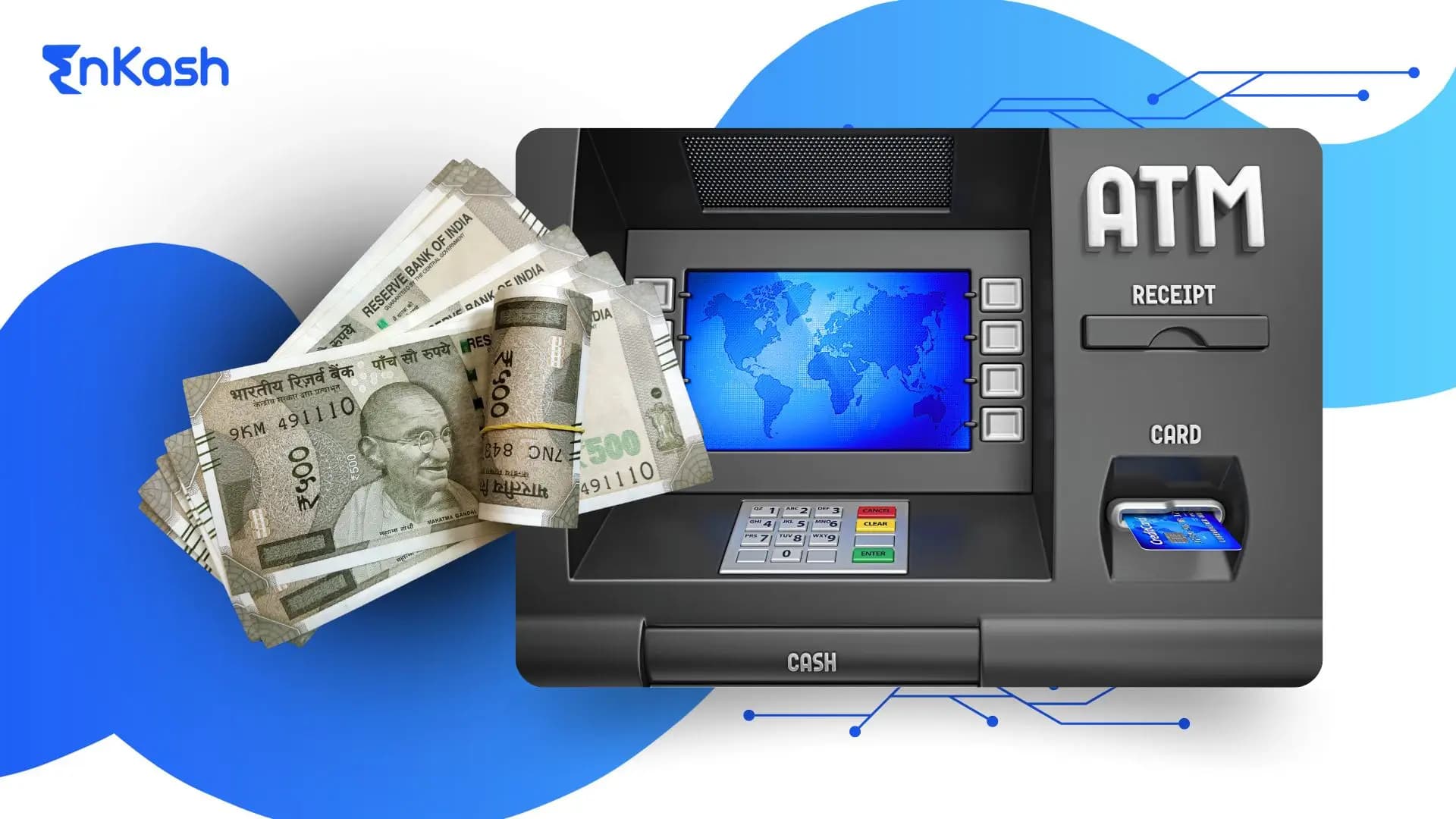
Cash continues to hold practical value in India, even as digital payments gain ground in daily transactions. The country now operates close to 2,16,706 ATMs across on-site and off-site locations in 2025, which shows how important physical cash access remains for customers. Many individuals still prefer ATM withdrawals for routine needs because the process offers speed, access, and clear controls. A smooth experience depends on simple steps that guide the user from card insertion to transaction confirmation. Each stage reflects standard bank withdrawal design principles that balance clarity and security to protect the account holder. This blog sets the foundation for people who want a clear understanding of how ATM withdrawals function, how machines interpret user inputs, and how a secure approach helps prevent mistakes during a cash transaction.
What Is an ATM?
An Automated Teller Machine is a self-service terminal that allows customers to access financial services without visiting a branch. These machines connect directly to the banking network and verify every request through secure protocols. When a person initiates an ATM withdrawal, the machine checks the card details, validates the personal identification number, confirms the linked account, and processes the instruction through the bank’s core system. This structure supports predictable outcomes, which is important for users who rely on cash for regular or time-sensitive needs. An ATM also provides services such as balance checks and mini statements, creating a consistent, familiar experience for users across different bank ATMs nationwide.
How to Insert an ATM Card Correctly
Correct Orientation
The card should be inserted with the chip facing the reader and the arrow pointing toward the slot. This helps the machine recognise the card and begin a secure session for an ATM withdrawal.
What Happens After Insertion
Once the card is read, the machine verifies the details and connects to the bank’s system. The display screen then guides the user through the next steps in a clear and organised flow.
Preventing Read Errors
A steady insertion reduces the chance of rejection. Cards with worn chips or damaged surfaces may cause interruptions, so users should check the card’s condition before withdrawing cash from an ATM.
How to Use an ATM: Step-by-Step Guide
- Insert the Card
The session begins when the machine reads the card and verifies that it is linked to an active account. This step prepares the system for a secure ATM withdrawal.
- Select the Preferred Language
The screen displays available language options. Choosing a familiar language ensures clarity during each step that follows.
- Enter the Personal Identification Number
The number should be entered discreetly to protect the account. A correct entry allows the system to validate the user and proceed with the transaction.
- Choose the Required Service
The menu presents multiple actions such as withdrawal, balance inquiry, and a request for a mini statement. Selecting withdrawal moves the user toward the cash transaction.
- Select the Linked Account
Some cards connect to multiple accounts. The system asks the user to choose the withdrawal account so that the correct source is debited.
- Enter the Required Amount
The amount should be within the bank’s permitted withdrawal limit. The machine checks the balance before processing the request.
- Confirm the Instruction
The confirmation stage helps prevent mistakes. Once approved, the machine communicates with the bank’s system and prepares the cash.
- Collect the Cash and the Card
The machine releases the currency and prompts the user to remove the card. A smooth exit from the session finalises the ATM withdrawal.
ATM Withdrawal Process Explained
The machine presents a structured menu built around standard banking functions. Withdrawal, balance inquiry, mini statement, personal identification number change, and fund transfer are displayed in clear groups so the user can choose without confusion. This layout helps guide the flow of an ATM withdrawal and gives users a predictable experience across different terminals.
Daily Cash Withdrawal Limits
Banks apply limits to protect customers and manage the load on their systems. These limits vary by card type, account category, and the bank’s internal policy. The machine checks the available balance and the permitted range before releasing cash. This safeguard ensures that every ATM cash withdrawal is processed within a secure and controlled framework.
How Bank ATMs vs Third-Party ATMs Work
Bank-operated machines connect directly to the issuing bank’s network and provide full access to services linked to the card. Third-party machines rely on shared infrastructure and support essential functions that include cash withdrawal and balance checks. The experience remains consistent, yet charges and service availability may differ based on the terminal being used.
Types of ATM Cards and PIN Rules in India
Card Variants
Banks issue several types of cards that support an ATM withdrawal, including debit cards, ATM-only cards, and prepaid cards linked to stored value. These cards function on networks such as domestic and international payment systems, and each network supports secure communication between the machine and the issuing bank.
Understanding the Personal Identification Number
The personal identification number protects access to the linked account. Banks encourage customers to set a number that is easy to remember yet difficult for others to guess. A secure personal identification number strengthens every stage of a bank withdrawal.
Reset and Change Procedures
Banks allow users to update or reset their personal identification number through digital channels or branch support. A timely update helps maintain account safety, and it ensures that the card remains ready for uninterrupted use at bank ATMs.
How to Withdraw Money From an ATM Without a Debit Card
UPI-Based Cardless Withdrawals
Several banks in India support cardless cash access through unified payments interface applications, subject to bank and ATM network availability. The user selects the cardless withdrawal option at the machine, enters the mobile number linked to the account, and authorises the request through the application. This method supports a safe ATM withdrawal without using the physical card.
Bank Application-Based Withdrawals
Many banks provide a secure feature within their mobile applications that generates a code for a one-time cash withdrawal. The user enters this code at the machine, along with the required amount, and the bank validates the request before releasing the cash. This approach gives users flexibility when the card is not available.
Limits and Availability
Cardless services follow daily limits defined by each bank. Only selected terminals support these features, so availability may vary across locations. A clear understanding of these limits helps users plan a smooth ATM cash withdrawal without a card.
How to Use an ATM Card Safely
Protecting the Personal Identification Number
The number should be entered with care, and the keypad should be covered during entry. This simple action prevents exposure to people nearby and supports a secure start to any ATM withdrawal.
Identifying Skimming Risks
Users should examine the card slot and keypad before beginning the transaction. Irregular surfaces or loose attachments can indicate tampering. Recognising such signs helps protect the account from unauthorised access.
Choosing a Safe Location
ATMs placed in well-lit areas or within monitored premises offer a safer environment. A secure setting reduces the chance of interruption during a bank withdrawal.
Handling the Receipt and Card
Users should collect their card and review the receipt only if needed. Any uncollected document may reveal sensitive information, so disposing of it responsibly supports safe account management.
Bank Withdrawal vs ATM Withdrawal: Key Differences
Process and Verification
A withdrawal at a branch involves verification by staff, manual checks, and additional prompts that confirm the customer’s identity. An ATM withdrawal uses automated validation through secure digital pathways, which creates a faster experience for routine transactions.
Accessibility and Convenience
Branches follow fixed operating hours, while machines operate throughout the day. This round-the-clock availability supports individuals who need cash during travel plans or outside regular banking hours. It also reduces waiting time during peak periods.
Limits and Charges
Branch transactions follow internal policies that may allow higher withdrawal ranges based on the account type. Machines apply limits set by the bank and check those limits before processing an ATM cash withdrawal. Charges may apply at selected terminals, particularly during cross-bank usage.
Use Cases
A branch visit is useful when customers require assistance or need access to high-value withdrawals. Machines are suitable for predictable and straightforward cash requirements. Both channels complement each other and give customers flexible access to their funds.
Read more:
UPI Transaction LimitATM Withdrawal Charges and Monthly Limits
Free Monthly Transactions
Banks provide a fixed number of free transactions each month for users who rely on ATM withdrawals. The count varies across account categories and locations. The machine tracks each transaction and applies the bank’s rules before finalising the request.
Charges Beyond the Free Limit
Once the free limit is reached, the bank may apply a fee for each withdrawal at the machine. These charges differ across banks and depend on the terminal used. A clear view of these costs helps users manage their transactions with greater awareness.
Cross-Bank Withdrawal Rules
A withdrawal at a machine operated by another bank follows shared network guidelines. The system verifies the request, checks the remaining free count, and applies fees when required. These steps help maintain consistency across bank ATMs and ensure predictable outcomes for customers.
Mini Statement and Balance Inquiry Limits
Banks may include these actions within the monthly quota. The machine calculates usage in real time, and users can review their remaining free transactions through the bank’s digital channels.
Common ATM Withdrawal Issues and How to Fix Them
Card Blocked or Personal Identification Number Errors
A blocked card or repeated incorrect entries can interrupt an ATM withdrawal. Users should stop after a failed attempt and reset the number through the bank’s authorised channels. This reduces the chance of permanent blockage and restores access safely.
Insufficient Balance
The machine checks the available balance before releasing cash. If the account does not support the requested amount, the system declines the transaction. Reviewing the balance on the bank’s application or through a branch visit helps users plan the next step with clarity.
Cash Debited but Not Received
A rare machine fault may cause the account to show a debit without dispensing currency. The system logs the issue automatically, and the bank reviews the record before reversing the amount. Most banks complete this process within the timelines set by the regulator.
Machine Out of Cash or Technical Delays
Some machines may pause service when the cash tray is empty or when the connection to the bank’s network slows down. Users should cancel the session and try another terminal nearby. This approach prevents additional delays and keeps the ATM cash withdrawal predictable.
Wear and Tear on the Card
A damaged chip or scratched surface can interrupt the reading process. Users should check the card’s condition before starting the transaction and request a replacement when required, as a clean and functional card supports a smooth experience at bank ATMs.
Conclusion
A smooth ATM withdrawal depends on clear actions at every step. Users should begin by inserting the card correctly, follow the prompts carefully, and confirm each instruction before proceeding. Awareness of limits and charges helps plan withdrawals with fewer interruptions. Checking the card’s condition, protecting the personal identification number, and choosing safe locations strengthen security during a bank withdrawal. When these habits are followed consistently, the experience becomes faster, safer, and more predictable.
FAQs
1. How does an ATM decide whether to allow a transaction?The machine checks the card’s validity, verifies the personal identification number, reviews the available balance, and confirms limits set by the bank. When everything aligns, the system approves the request and moves the ATM withdrawal toward completion.
2. Why do some ATMs show fewer services than others?Service availability depends on the machine’s configuration and the bank’s network. Some terminals support only withdrawals and balance checks, while others provide full menus. The machine displays only features it can process reliably at that location.
3. What should users do if the screen freezes during a transaction?A frozen screen indicates that the machine cannot process the current request. Users should wait briefly, cancel the session if possible, and move to another terminal. The bank reviews incomplete attempts through its internal logs automatically.
4. Can a user cancel a withdrawal request after entering the amount?Cancellation is possible until the final confirmation. The machine allows users to return to the main menu or end the session. This prevents errors and gives people the flexibility to adjust the amount before completing the ATM withdrawal.
5. Why do ATMs hold the card for a few seconds before showing options?This pause allows the terminal to authenticate the card through the banking network. The system checks status, restrictions, and linked accounts before presenting services. This controlled start ensures a secure and predictable flow for customers.
6. How does the machine protect the cardholder during busy hours?Machines monitor timeouts, session lengths, and repeated personal identification number errors to prevent misuse. These safeguards help maintain secure access during high footfall periods and protect customers who rely on quick transactions at bank ATMs.
7. What should users check before starting a transaction at a new location?They should confirm that the machine shows a responsive welcome screen, inspect the card slot for irregular attachments, and ensure the surroundings feel safe. These checks support a smooth interaction and reduce the chance of interruption.
8. Why do some ATMs limit the number of transactions in a single session?Session limits prevent misuse and reduce network congestion. The machine closes the session after a few successful actions, prompting the user to start again if needed. This approach protects the account and improves system reliability.
9. Can a user track recent ATM activity without printing a receipt?Most banks display withdrawal history through digital channels such as mobile and internet banking. These platforms reflect successful sessions, allowing users to review transactions without printing at the terminal.
10. Why do machines request the personal identification number again after cancelling a service?When a service is cancelled, the machine resets to protect the account. This requires a fresh personal identification number entry for any new request. It ensures that the session remains secure and that only the authorised user proceeds.