Introduction
Swiggy vouchers have become a popular way to enjoy convenient and affordable food delivery in India. These vouchers allow users to pay for meals or gift food to someone in a quick and simple way. They can be used across most restaurants, cloud kitchens, and Instamart, which makes them useful for both personal orders and corporate gifting.
Many individuals use Swiggy vouchers to save on regular food delivery, while businesses use them to reward employees, offer festive gifts, or create simple recognition programs. The process is digital, instant, and easy to track.
This blog explains what Swiggy vouchers are, the types of vouchers available, how to redeem and use them, and how businesses can buy Swiggy vouchers seamlessly through EnKash.
What is a Swiggy Voucher?
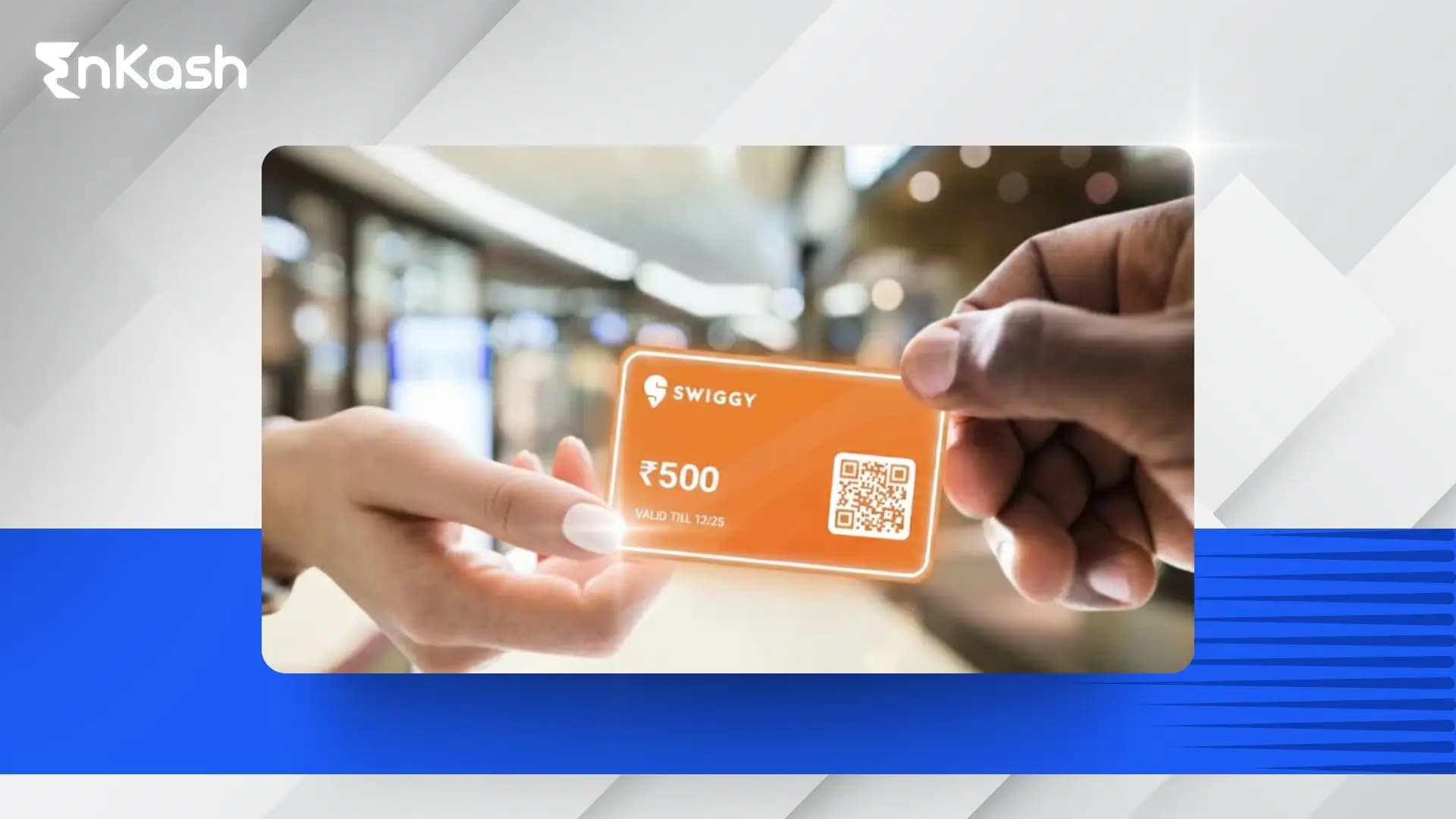
A Swiggy voucher is a digital code that allows users to pay for food or grocery orders on the Swiggy app. It works like a prepaid value that can be applied at checkout. When you enter the Swiggy voucher code, the eligible amount gets deducted from your total bill.
Swiggy vouchers are widely used because they offer flexibility, quick redemption, and secure payments. They are available in multiple denominations, depending on the issuing platform, and can be used across thousands of restaurants listed on Swiggy. Users can apply them for regular meals, late-night orders, special occasions, or gifting.
Many businesses also prefer Swiggy vouchers for employee rewards and customer gifting. They provide an easy and predictable way to offer food benefits without handling physical reimbursements or expense claims.
Different Types of Swiggy Vouchers
Swiggy vouchers are available in prepaid and discount formats. They are primarily issued in digital form, although some corporate gifting partners may provide them in physical card format for events or offline distribution. Below are the types that users commonly receive and redeem.
1. Swiggy Voucher
A Swiggy voucher is a prepaid code that adds a fixed amount to your Swiggy Money balance. Once redeemed, this balance can be used to pay for eligible food or Instamart orders.
These vouchers are issued digitally through platforms like EnKash, bank reward portals, and gift voucher websites. Some corporate gifting partners may also offer them as printed cards, but the underlying code works the same.
Common uses include:- Personal food orders
- Occasional treats
- Simple gifting
Swiggy Gift Voucher
A Swiggy Gift Voucher functions the same as a prepaid voucher but is specifically intended for gifting. Companies and individuals use these for birthdays, festivals, employee rewards, and customer gifting.
Some corporate gifting partners may also package gift vouchers in a physical card format. The recipient redeems the code in the Swiggy app, and the balance reflects instantly in Swiggy Money.
Popular for:- Festive gifting
- Rewards and recognition
- Corporate events
- Client appreciation
3. Swiggy Discount Voucher
A Swiggy Discount Voucher is a promo code that applies a flat or percentage discount directly at checkout. It does not add money to Swiggy Money.These vouchers are always digital and come from:They apply instantly when the order meets the offer terms and conditions.How to Redeem Swiggy Voucher?
Redeeming a Swiggy voucher is simple. Whether you received a digital code or a physical voucher card from a corporate gifting partner, the redemption steps remain the same. Once redeemed, the value is added to your Swiggy Money balance in the app.
Follow these steps to redeem your Swiggy voucher code:
Step 1: Open the Swiggy AppLog in to your account on the Swiggy mobile app.
Step 2: Go to Your AccountTap the profile icon in the top-right corner.
Step 3: Select Swiggy MoneyInside your account menu, choose the Swiggy Money option.
Step 4: Tap ‘Add Gift Card or Voucher’You will see an option to add or redeem a gift card or voucher code.
Step 5: Enter the Voucher Code (and PIN if required)Type the code exactly as shown in your digital voucher or physical card. Some vouchers require a PIN for verification.
Step 6: Confirm RedemptionAfter submission, the voucher value will be instantly added to your Swiggy Money balance. You can view your updated balance in the same section.
Step 7: Use Swiggy Money at CheckoutDuring payment, choose Swiggy Money to pay for your food or Instamart order.
How to Use Swiggy Voucher?
Once you redeem your Swiggy voucher, the voucher amount is added to your Swiggy Money balance. You can then use this balance to pay for eligible food and Instamart orders on the Swiggy app.
Here is how to use your Swiggy voucher balance:1. Add Items to Your CartSelect your restaurant or Instamart items and proceed to checkout.
2. Go to the Payment PageReview your order and move to the payment section.
3. Select Swiggy MoneyIf you have redeemed a voucher, your balance will appear as a payment option. Tap on Swiggy Money to apply it.
4. Complete PaymentThe available balance is deducted from your total amount.
If the order value exceeds your Swiggy Money balance, you can pay the remaining amount using UPI Payments, cards, or other payment methods.
If you have a Swiggy discount voucher or promo code, the process is different:- Enter the discount code on the payment page
- The discount applies instantly if your order meets the offer conditions
- Promo codes do not convert into Swiggy Money.
Where Swiggy Vouchers Can Be Used
You can use Swiggy Money for:- Food delivery orders
- Instamart grocery orders
Eligibility may vary slightly based on restaurant policies or category restrictions set by Swiggy.How to Buy Swiggy Voucher from EnKash
Buying a Swiggy voucher through EnKash is simple and fully digital. You can choose the voucher value, complete the purchase, and receive the code instantly on your email or dashboard.
Steps to Buy Swiggy Voucher from EnKash- Log in to your EnKash account
- Go to the Vouchers or Gift Cards section
- Select Swiggy from the list of available brands
- Choose the voucher denomination
- Complete the payment
- Receive the Swiggy voucher instantly in digital format
You can share the voucher with employees, customers, or use it for your own Swiggy orders.
You can find the complete steps and more details here: How to Buy and Redeem a Swiggy gift card on EnKash.
Swiggy Vouchers for Corporate Gifting
Swiggy vouchers have become a popular choice for corporate gifting because they are easy to distribute, instantly redeemable, and suitable for every employee group. Companies use them for festivals, rewards and recognition, sales incentives, and customer giveaways.
With EnKash, businesses can purchase Swiggy vouchers in bulk and manage them from a single platform. The process is digital, fast and designed for corporate needs. You can choose the voucher value, download or share them directly and track usage conveniently. For offline events or curated gifting, some partners also offer physical Swiggy voucher cards, which many companies include in their festive hampers or reward kits.
Why companies prefer Swiggy vouchers through EnKash:- Quick bulk purchase
- Digital delivery for large teams
- Multiple denominations to choose from
- Easy tracking and management
- Suitable for both employee and customer gifting
- More practical than traditional hampers
Employees appreciate the flexibility to use the vouchers for food delivery or Instamart groceries, making the gifting experience personal and useful across different occasions.
Conclusion
Swiggy vouchers offer a convenient and flexible way to enjoy food delivery, share gifts, and reward people in a meaningful way. Whether you are using them for personal orders or distributing them across your organisation, the process is quick and simple. With easy redemption, digital delivery, and wide acceptance across restaurants and Instamart, these vouchers have become a dependable choice for everyday use and corporate gifting.Businesses can streamline the entire process with EnKash by purchasing Swiggy vouchers in bulk, choosing from multiple denominations, and managing distribution from a single platform. This helps save time, reduce manual work, and create a smooth gifting experience for employees and customers.Swiggy vouchers offer convenience, choice, and ease of use, making them a practical option for both individuals and companies.FAQs
1. What is a Swiggy voucher code?A Swiggy voucher code is a prepaid digital code that can be redeemed in the Swiggy app. Once redeemed, the value is added to your Swiggy Money balance, which you can use to pay for eligible food or Instamart orders.
2. How do I redeem a Swiggy gift voucher?You can redeem it by opening the Swiggy app, going to your Account section, selecting Swiggy Money, tapping Add Gift Card or Voucher, and entering the code. The amount is added instantly after successful redemption.
3. Why is my Swiggy voucher code not working?This may happen due to:
- Entering the wrong code or PIN
- The voucher already being redeemed
- The voucher being expired
- Restrictions mentioned in the voucher’s terms
Recheck the details and try again, or contact support if the problem continues.
4. Can Swiggy vouchers be used for Instamart?Yes. Swiggy Money obtained from redeeming vouchers can be used for Instamart orders as long as wallet payments are allowed for that store or category.
5. Do Swiggy vouchers expire?Yes. Swiggy vouchers have an expiry date set by the issuing partner, usually between 6 and 12 months. After redeeming the voucher, the balance follows the validity terms mentioned on the voucher.
6. Can I combine Swiggy vouchers with other payment methods?Yes. If your Swiggy Money balance does not cover the full order amount, you can pay the remaining balance using UPI, cards, or any other available payment option.
7. Does Swiggy offer free vouchers?Swiggy occasionally provides free discount vouchers or promo codes during campaigns, festivals, or app-specific promotions. These depend on ongoing offers and may vary for each user.
8. Can businesses buy Swiggy vouchers in bulk?Yes. Businesses can easily purchase Swiggy vouchers in bulk through EnKash.
The platform allows companies to choose voucher denominations, generate large quantities instantly, and distribute them digitally to employees or customers. EnKash also provides a central dashboard to track voucher usage and manage all gifting activities in one place, making corporate distribution faster, simpler, and fully streamlined. Talk to us to learn more.