Introduction
Amazon Gift Cards are one of the most convenient ways to shop, gift, and make payments online. Whether you receive one as a present or buy it for yourself, an Amazon Gift Card allows you to add funds directly to your Amazon Pay balance and use it for shopping, recharges, and Utility bill payments.
In India, redeeming an Amazon Gift Card is a simple process. You can add your Amazon Gift Card Code or Amazon Pay Voucher to your account in just a few clicks. Once redeemed, the amount appears in your Amazon Pay balance and can be used across millions of products and services on Amazon.
In this guide, you’ll learn everything about how to redeem an Amazon Gift Card in India, how to check your balance, where to buy one, and how to use it for purchases.
What is an Amazon Gift Card?
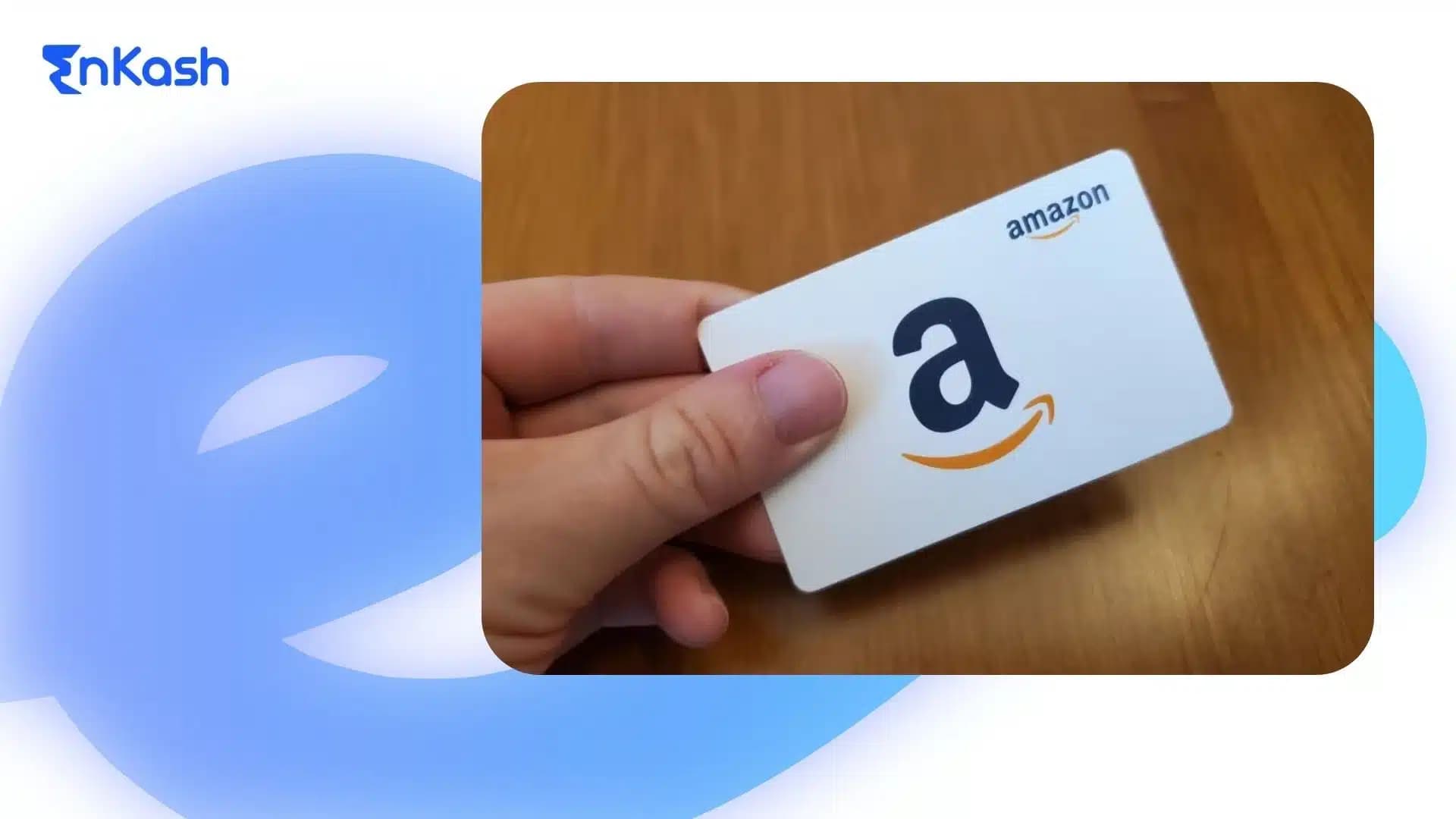
An Amazon Gift Card is a prepaid voucher that lets you shop for products, pay bills, or make digital purchases on Amazon and select partner platforms that accept Amazon Pay. It carries a fixed or custom value that can be redeemed as an Amazon Pay balance in your account.
Each card comes with a unique Amazon Gift Card Code or Amazon Gift Voucher Code, which you can enter while redeeming. Once added, the amount reflects instantly in your Amazon Pay wallet.
Amazon Gift Cards are available in both physical and digital formats. You can buy them for yourself or gift them to others through email, SMS, or printed cards. They also come in different categories, such as Amazon Pay Gift Cards, Amazon Pay Vouchers, and Amazon e-Gift Cards.
These cards make gifting easier and allow users to enjoy discounts through special Amazon Gift Card Promo Codes, Amazon Pay Coupons, or Amazon Coupon Codes in India offered during sales and festive seasons.
How to Purchase an Amazon Gift Card
Buying an Amazon Gift Card in India is quick and simple. You can purchase it directly from the Amazon website, mobile app, or from trusted third-party platforms like Paytm, PhonePe, and Google Pay.
Follow these easy steps to buy an Amazon Gift Card online:- Visit the Amazon Gift Card section on the Amazon website or app.
- Choose the card design and select the amount you want to load.
- Enter the recipient’s name, email address, or mobile number (for e-gift delivery).
- Add a personalized message if you wish.
- Complete the payment using your preferred payment method.
Once the purchase is complete, you or the recipient will receive an email or SMS containing the Amazon Gift Card Code or Amazon Pay Voucher Code. This code can later be redeemed to add money to your Amazon Pay Balance.
You can also buy physical Amazon Gift Cards at select retail stores, supermarkets, and electronics outlets. For businesses, Amazon offers corporate gift card solutions that can be customized for employee rewards, customer loyalty, or promotional campaigns.
How to Redeem an Amazon Gift Card
Redeeming an Amazon Gift Card in India is an easy process that takes only a few minutes. You can redeem it through the Amazon website or mobile app and add the balance directly to your Amazon Pay account.
Follow these steps to redeem your Amazon Gift Card:- Log in to your Amazon India account.
- Go to Your Account and select Amazon Pay.
- Click on Add Gift Card or Redeem a Gift Card.
- Enter your Amazon Gift Card Code or Amazon Pay Voucher Code exactly as shown in your email or printed card.
- Select Add to Balance to complete the process.
The balance from your Amazon Gift Card, Amazon Gift Voucher, or Amazon Pay Gift Card will be instantly added to your Amazon Pay wallet. You can then use it to make purchases, pay bills, or recharge services available on Amazon.
If you have received a promotional or festive Amazon Gift Promo Code or Amazon Coupon Redeem Code, you can follow the same steps to apply it to your account and enjoy discounts or cashback offers.
How to Add an Amazon Gift Card to Amazon Pay
Adding an Amazon Gift Card to your Amazon Pay account allows you to use the balance for purchases, recharges, and bill payments. The process is simple and can be done through the Amazon app or website.
Here’s how to add your Amazon Gift Card or Amazon Pay Voucher:- Log in to your Amazon account.
- Click on Amazon Pay from the main menu.
- Choose Add Gift Card or Redeem a Gift Card.
- Enter the Amazon Gift Card Code or Amazon Pay Voucher Code found in your email, SMS, or physical card.
- Select Add to your balance to complete the process.
Once added, the amount appears in your Amazon Pay balance, which can be used instantly. You can also track all your gift card transactions in the Amazon Pay section under Gift Card Activity.
If you have received an Amazon Gift Card Promo Code or Amazon Pay Coupon, you can enter it during this step to apply any promotional benefits linked to your gift card.
How to Check Amazon Gift Card Balance
After redeeming your Amazon Gift Card, you can easily check the remaining balance through your Amazon account. This helps you know how much money is available in your Amazon Pay wallet for future purchases.
Here’s how you can check your Amazon Gift Card balance:On the Amazon App:
- Open the Amazon app and log in to your account.
- Tap on the Amazon Pay section.
- Select View Gift Card Balance or Gift Card Activity.
- Your available Amazon Pay Gift Card balance will appear on the screen.
On the Amazon Website:
- Log in to your account on the Amazon India website.
- Go to Your Account → Amazon Pay → Gift Cards.
- Click Check Balance to see your remaining amount.
You can also review previously used Amazon Gift Card Codes, Amazon Pay Voucher Codes, or Amazon Gift Voucher Redeem history in the same section.
If you have received multiple gift cards, all redeemed balances are automatically combined into your Amazon Pay account for easy tracking and usage.
Once you have redeemed your Amazon Gift Card, the amount gets added to your Amazon Pay balance. You can then use it to pay for almost anything on Amazon, including products, mobile recharges, and bill payments.
Here’s how to use your Amazon Gift Card for shopping:- Log in to your Amazon account.
- Add the products you want to buy to your cart.
- Proceed to Checkout.
- Under the payment options, select Amazon Pay Balance.
- If your balance is less than the total bill, you can pay the remaining amount using another payment method.
- Confirm your order.
Your Amazon Pay Gift Card balance or Amazon Voucher Redeem balance will automatically be used for the purchase. You can also combine it with Amazon Pay Coupons, Amazon Gift Promo Codes, or Amazon Coupon Codes in India during checkout if available.
This makes every transaction quick, secure, and hassle-free without the need to enter card details every time you shop.
Where to Buy Amazon Gift Cards in India
Amazon Gift Cards can be purchased easily across several online and offline platforms in India. Whether you want to gift someone or manage rewards for your employees, there are multiple safe and convenient options available.
1. On the Amazon Website or App
The easiest way is to visit the Amazon Gift Card Store on the Amazon India website or mobile app. Choose your preferred card design, select the value, and add the recipient’s details. Once you make the payment, you’ll receive the Amazon Gift Card Code or Amazon Pay Voucher Code instantly by email or SMS.
2. Through EnKash
You can also buy and manage Amazon Gift Cards through EnKash, one of India’s leading spend management and corporate gifting platforms.
With EnKash, businesses can:
- Purchase Amazon Gift Cards, Amazon Pay Gift Vouchers, and other brand cards in bulk.
- Instantly distribute digital vouchers to employees, customers, or partners from a single dashboard.
- Track usage, balances, and expenses in real time.
- Access exclusive cashback and offers available only on the EnKash Vouchers Marketplace.
The EnKash Rewards and Vouchers platform makes it simple for organizations to automate gifting, improve engagement, and ensure every voucher, including Amazon, is delivered securely and instantly.
You can explore more gift cards here, with multiple choices suitable for different gifting moments.
3. From Partner Apps and Retail Stores
Amazon Gift Cards are also available on trusted payment apps like Paytm, PhonePe, and Google Pay, as well as in select supermarkets and electronics stores. You can choose between digital e-gift cards and physical Amazon Gift Vouchers.
When buying, always use verified platforms like Amazon or EnKash to help ensure the authenticity of any Amazon Gift Cards, coupons, or Amazon Pay vouchers you receive.
Conclusion
Amazon Gift Cards are one of the simplest and most reliable ways to shop, gift, or make payments online. They save time, offer flexibility, and make it easy to manage spending through your Amazon Pay balance. Whether you want to gift someone a shopping experience or reward your team, an Amazon Gift Card fits every purpose.
If you are a business looking to distribute Amazon Gift Cards or other digital vouchers at scale, EnKash makes the process even easier. Through the EnKash Rewards and Vouchers platform, you can buy, send, and track gift cards instantly, all from one secure dashboard. It helps organizations simplify employee rewards, customer engagement, and promotional gifting without manual effort.
Manage thousands of Amazon Gift Cards in minutes. EnKash gives you one secure dashboard to buy, send, and track vouchers without hassle.
FAQs
1. How can I redeem my Amazon Gift Card in India?You can redeem your Amazon Gift Card through the Amazon app or website. Go to Amazon Pay → Add Gift Card, enter your Amazon Gift Card Code or Amazon Pay Voucher Code, and click Add to Balance. The amount will be added instantly to your Amazon Pay account.
2. How do I check my Amazon Gift Card balance?To check your balance, open the Amazon app or website and go to Amazon Pay → Gift Cards → Check Balance. Your available balance will be shown along with your gift card activity and redemption history.
3. Can I use Amazon Gift Cards for all purchases?Yes. You can use your Amazon Gift Card or Amazon Pay Gift Card to shop for eligible products, pay bills, buy subscriptions, or recharge your phone. However, certain products or services may not be eligible, so it’s best to check during checkout.
4. Where can I buy Amazon Gift Cards in India?You can buy them directly from the Amazon India website or app, or from trusted partners like Paytm, PhonePe, and Google Pay.
Businesses can also buy and manage Amazon Gift Cards in bulk using the EnKash Rewards and Vouchers platform, which offers instant delivery, tracking, and bulk purchase options.
5. How do I add an Amazon Gift Card to my Amazon Pay account?Log in to your account, open Amazon Pay, and click on Add Gift Card. Enter your Amazon Gift Card Code and select Add to Balance. Your funds will reflect immediately in your Amazon Pay wallet.
6. What should I do if my Amazon Gift Card Code is not working?Check if you have entered the correct code without spaces or typos. If the problem continues, contact Amazon Customer Support with your order details. Ensure the card was purchased from a verified source like Amazon or EnKash to avoid invalid codes.
7. Can I combine multiple Amazon Gift Cards?Yes. You can redeem multiple Amazon Gift Cards, Amazon Pay Vouchers, or Amazon Gift Promo Codes, and all balances will be added to your Amazon Pay wallet for future use.
8. What is the validity period of an Amazon Gift Card?Amazon Gift Cards issued in India are generally valid for one year (365 days) from the date of issuance, unless stated otherwise on the card..
9. Why should businesses use EnKash to buy Amazon Gift Cards?EnKash allows businesses to purchase, send, and track Amazon Gift Cards and other brand vouchers from a single platform. It’s ideal for employee rewards, partner incentives, and customer gifting. With EnKash, vouchers are delivered instantly and securely, with clear visibility into expenses.